.png)

How to change your InPenTM name
If you’d like to change the name of your InPen (for example, “work InPen” or “home InPen”) follow these steps:
1. Open the MiniMed GoTM app.
2. Tap Devices.

3. Select the InPen you would like to name.
4. Tap the pencil icon  next to the name.
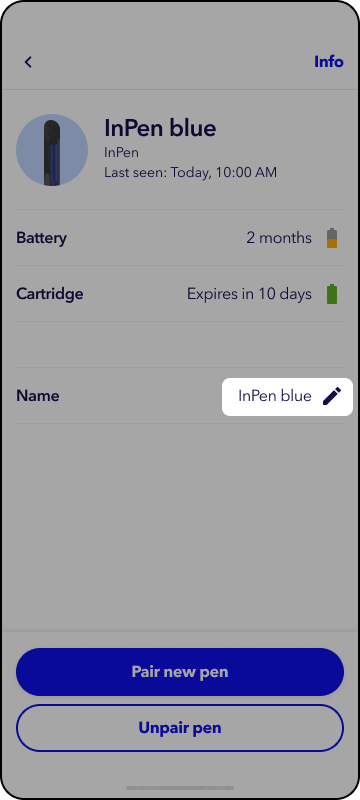
5. Type in the new name.
6. Tap Save.