.png)

How to edit your therapy settings
You will need your personal therapy settings from your healthcare provider to use the Dose calculator. You can find these on your MiniMed GoTM system settings form.
If you are not sure what your settings are, check with your provider. There might be times when your healthcare provider may want you to adjust your therapy settings. This is done in the MiniMed Go app.
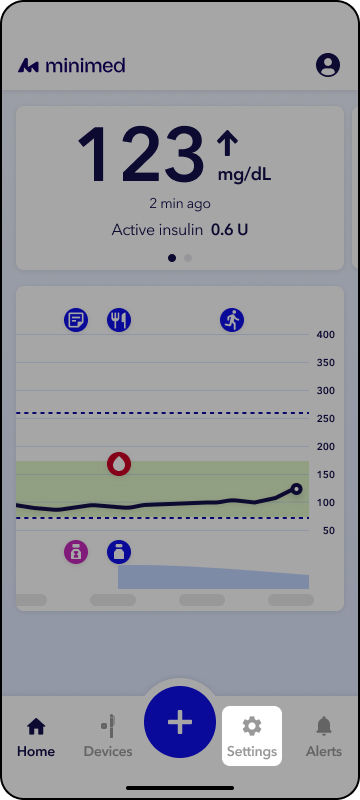
- Once you have your therapy settings, open the MiniMed Go app.
- Tap Settings on the Home screen.
- Tap Insulin settings or Alert and glucose settings.
- Tap on the needed setting to set the correct value.
- Once you have selected the correct value, tap Continue and Save.
The values that must be set are:
- Insulin to carb ratio – This is the number of grams of carbohydrates covered by 1 unit of insulin.
- Insulin sensitivity factor – This is the amount your blood glucose is lowered by 1 unit of insulin.
- Glucose target – This is the blood glucose value you are trying to achieve. When entering a blood glucose value into the dose calculator, it will recommend insulin or carbs to return to this target value.
- Active insulin time – This is the amount of time that insulin is actively lowering your blood glucose.
- Maximum recommended dose – This is the maximum calculated dose that your healthcare provider determines is safe for you. If a single dose recommendation or the total of recent doses plus the recommendation exceeds the maximum calculated dose setting, an alert will be displayed. Refer to the instructions given by your healthcare provider.
- Meal therapy type - There are three different meal therapies in the rapid-acting insulin settings that can be used to calculate insulin doses using the app:
- Carb counting
- Meal estimation
- Fixed dose
When selecting your meal therapy, choose the one that is recommended by your healthcare professional. Enter the settings required to complete the setup of the selected meal therapy.