.png)

How to manually enter a dose
BEFORE YOU GET STARTED: For the Dose Calculator to work safely and accurately, it is critical that all rapid-acting insulin be logged. Doses taken with the InPen™ will be automatically logged, but if you take rapid-acting insulin from a source other than your InPen it must be logged manually. Too much insulin may cause hypoglycemia.
IMPORTANT: Your mobile device must be set to the current time to ensure that manual doses are logged correctly and your Active Insulin is correct. Incorrect time settings could result in unsafe recommendations, which could lead to severe hyperglycemia, hypoglycemia, or injury.
To enter a manual dose:
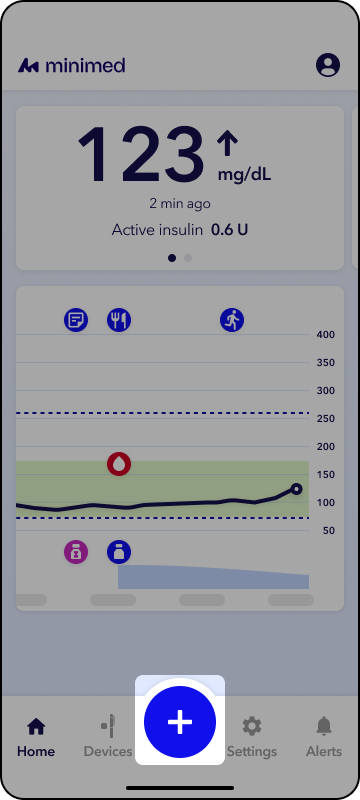
1. Tap the blue Action button on the Home screen
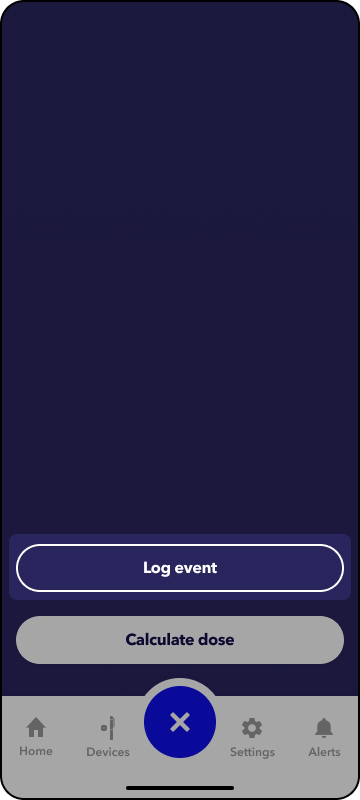
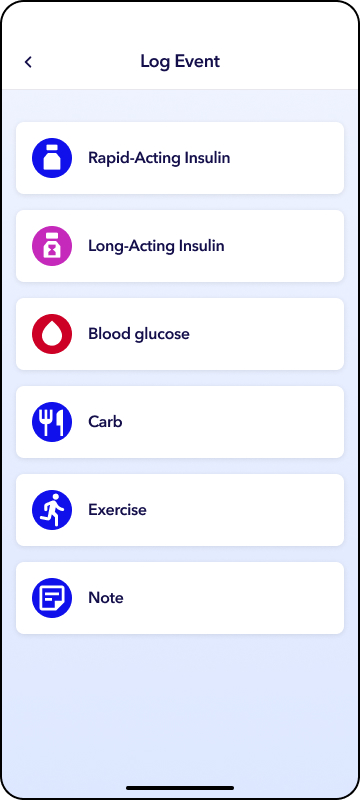
2. Tap Log event. You can log rapid-acting insulin or long acting insulin.
3. Tap Enter dose and enter the number of units taken.
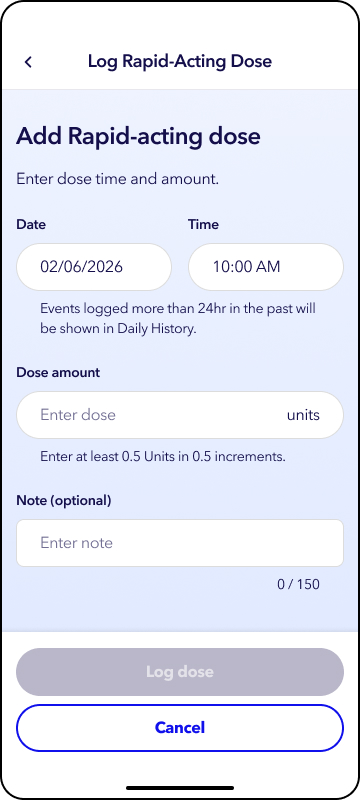
4. If you’d like to enter a note, tap Enter note. Then tap Log dose.
By default, the time is set to the current date and time, but both can be adjusted. Tap the Date or the Time as needed.
If the dose logged is greater the 24 hours old, it can be viewed in daily history by tapping the Profile menu. Notes are available in daily history, but they will not appear on CareLink™ reports.