.png)

How to pair multiple InPens
Before you get started, have your InPen(s) close by.
1. Open the MiniMed GoTM app.
2. Tap Devices.

3. Tap Pair new device.
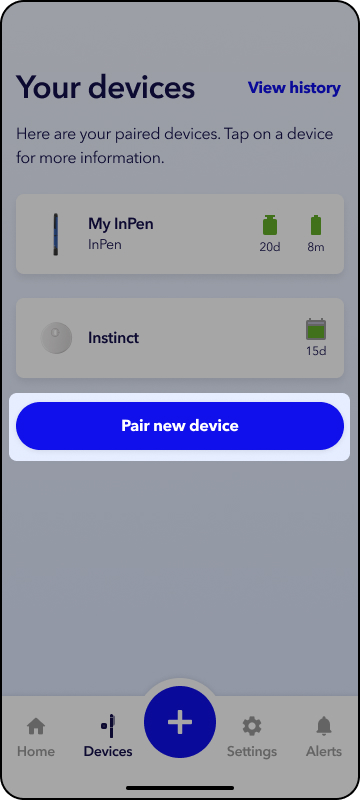
4. Tap InPen, then Continue.
5. Follow the prompts in the app to complete the pairing process.
6. If you’d like to change the name of your InPen (for example, “work InPen” or “home InPen”), select the relevant InPen under Your devices and then tap  to edit the name.
Note: You can pair multiple InPens to the same phone but cannot currently pair one InPen to multiple different phones at the same time.
Currently InPen app users, doses might not be recorded accrately in the MiniMed Go app if you do not remove your InPen from the InPen app.
In the InPen app, open Settings > My InPens > select your pen > tap Remove.