.png)


URGENT MEDICAL DEVICE CORRECTION
MiniMed GoTM App Long-Acting Dose Reminder Issue
MiniMed GoTM App Long-Acting Dose Reminder Issue — Download
| Product Names | Model/CFN Number | Unique Device Identifier (UDI) |
|---|---|---|
MiniMed GoTM App | MMT-8600 (iOS), MMT-8601 (Android) Version: 1.2.1 | 00199150038978 (MMT-8600) 00199150038985 (MMT-8601) |
September 2026
Dear Valued Customer,
We are contacting you regarding the MiniMed Go app software version 1.2.1 installed on your Apple or Android device. We have identified an issue that may prevent you from receiving long-acting dose reminders, an optional feature within the app. This notification provides instructions to resolve the issue by updating your MiniMed Go app to the latest software version.
If you have the MiniMed Go app software version 1.2.2 or higher, no action is required.
Issue Description:
An issue was identified with the MiniMed Go app in which the long-acting dose reminders were not being delivered after the app was updated to version 1.2.1. The long-acting dose reminder is an optional feature within the app. When enabled, it triggers a reminder to take your long-acting insulin dose as scheduled. If you previously enabled the long-acting dose reminder feature in software version 1.2.0 and then updated to version 1.2.1, your long-acting dose reminders will not be delivered.
If version 1.2.1 is the first version of the MiniMed Go app installed on your device and you have enabled the long-acting dose reminder feature, your reminders will be delivered as expected.
Risk to Health:
If long-acting dose reminders are not delivered as expected, it may lead to delayed therapy and an increased risk of hyperglycemia, or inadvertent duplicate dosing due to confusion in dosing status, potentially leading to hypoglycemia. As of September 3, 2026, eleven (11) complaints have been reported related to this issue, with no harm reported.
Actions Required:
Users of MiniMed Go app software versions 1.2.1 should update to version 1.2.2 or higher as soon as possible to resolve this issue. This update will ensure enabled long-acting reminders are delivered as expected.
For iOS Users:
To confirm the latest app version on your iOS device, follow the steps below:
- Open the App Store.
- Tap your profile icon at the top of the screen.
- Scroll to see pending updates.
- Tap Update next to the MiniMed Go app icon.
For Android Users:
To confirm the latest app version on your Android device, follow the steps below:
- Open the Google Play Store.
- Tap Menu, then select Manage apps & device.
- Apps with an update available are labeled “Update available.” You can also search for the MiniMed Go app.
- Tap Update next to the MiniMed Go app icon.
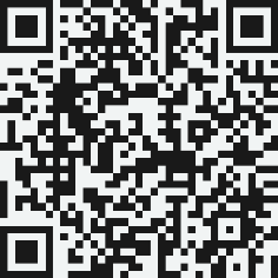
Regardless of whether your MiniMed Go app is affected or not, please acknowledge that you have read and understood this notification and have followed the actions listed in this notification by visiting https://info.medtronicdiabetes.com/FA1594 to acknowledge this communication.
Adverse reactions or quality problems experienced with the use of this product may be reported to the FDA's MedWatch Adverse Event Reporting program either online, by regular mail, or by fax as follows:
- Complete and submit the report online: www.fda.gov/MedWatch/report.htm or
- For Regular mail or fax: Download the form at www.fda.gov/MedWatch/getforms.htm or call 1-800-332-1088 to request a reporting form, then complete and return to the address on the pre-addressed form or submit by fax to 1-800-FDA-0178.
As always, we are here to support you and ensure we deliver the highest quality products possible. If you have further questions or need assistance, please call the MiniMed 24-Hour Technical Support line at 1-800-646-4633, option 1.
Sincerely,
MiniMed