.png)


Setting up and delivering a Preset Bolus
Device: MiniMedTM 780G insulin pump
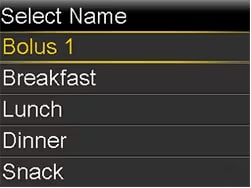
The Preset Bolus feature lets you set up in advance bolus deliveries you expect to use frequently. There are four Preset Bolus names that let you match a bolus to a meal with a known carb content: Breakfast, Lunch, Dinner, and Snack. There are four additional Preset Bolus names you can set for other circumstances. These are numbered from Bolus 1 to Bolus 4.
A Preset Bolus is not available while in SmartGuardTM technology.
To set up Preset Bolus amounts:
- From the Home screen, press Select.
- Select Insulin.
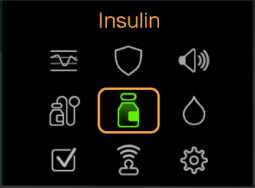
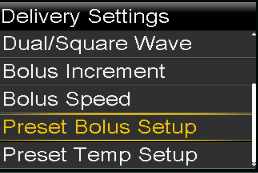
- Select Delivery Settings.
- Select Preset Bolus Setup.
- Select Add New.
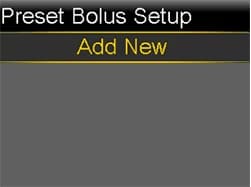
- Select a Preset Bolus. The Edit screen appears.
- Select Bolus to set the bolus amount.
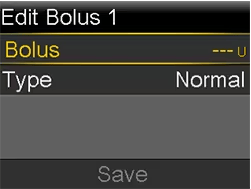
- Select Type to set this as a Normal bolus, Square WaveTM bolus, or Dual WaveTM bolus. If you set the type to Square WaveTM or Dual WaveTM , do the following:
- For a Square WaveTM bolus, set the Duration of time for the bolus delivery.
- For a Dual WaveTM bolus, adjust the Now/Square percentages as needed, and then set the Duration of time for the Square Wave portion of the bolus.
Note: Dual WaveTM bolus and Square WaveTM bolus features are not available in SmartGuardTM technology.
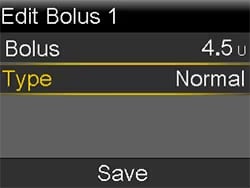
- Select Save.
To deliver a Preset Bolus:
- From the Home screen, press Select.
- Select Insulin.
- Select Bolus.
- Select Preset Bolus.
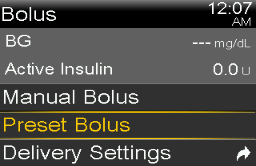
- Select the Preset Bolus you want to deliver.
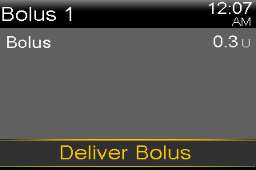
- Select Deliver Bolus.