.png)


Programming a Preset Temp Basal rate
Device: MiniMed™ 780G insulin pump
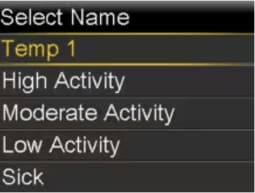
The Preset Temp feature lets you setup basal rates for recurring short-term situations where you need to temporarily change your basal rate. There are four names you can use to match your preset temp basal rate to a situation: High Activity, Moderate Activity, Low Activity, and Sick. There are also 4 additional preset temp rates available to use for other circumstances (Temp1 through Temp 4). A preset temp basal can be a good option for postpartum women, patients who are on steroids, or patients who recently had bariatric surgery.
- From the Home screen, press Select.
- Select Insulin.
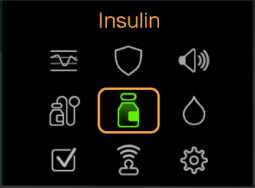
- Select Basal.
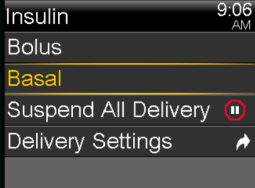
- Select Delivery Settings.
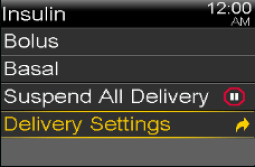
- Select Preset Temp Setup.
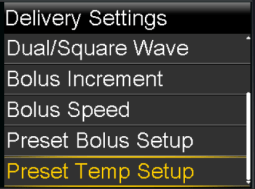
- Select Add New.
- Select a name for the Preset Temp Basal rate.
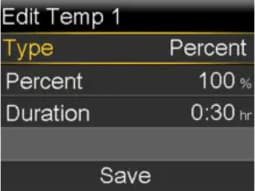
- Select Type to choose between Percent and Rate.
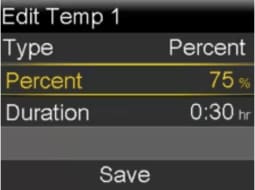
- Enter in a percentage, if you choose Percent or a rate if you choose Rate. Press Select.
- Set the Duration using the Up and Down buttons. Press Select.
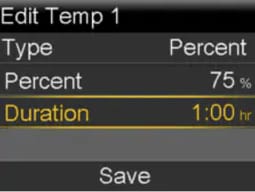
- Select Save.
Learn how to start a Preset Temp Basal rate on your pump when you need to use it.