.png)


Have a child on the MiniMedTM 780G system? Share your experience →
Software update resources
It’s time to update your MiniMedTM 780G system software to work with our latest sensor options!
Getting started on your software update is simple!
Select the sensor you’ll be using:
Instinct, made by Abbott


Complete your software update


Complete your software update
Before you begin, please note the following:
- You’ll need to finish this software update process before you can start using the new Instinct sensor.
- No need to wait for your new sensors to arrive — go ahead and do the update now. After you complete the update, your pump will work with Guardian™ 4, Simplera Sync and Instinct sensors. You can keep using your current sensor until your Instinct sensors arrive.
- A compatible mobile device is needed to complete the update and to start the Instinct sensor. Check to see if your device is compatible.
If you don’t have one, you can order an App Manager from us by calling 1-877-585-0208. An App Manager is a device that has MiniMed™ Mobile and other therapy apps installed.
How to update your software
Heads up: The full process can take up to 2 hours.
1. Download the MiniMed™ Mobile app to your compatible mobile device
Apple App Store →
Google Play Store →
2. Open the app and sign in using your CareLink™ Personal username and password. Make sure to sync to CareLinkTM from the app
3. Download and install the software update
- The download may take up to 90 minutes. Don’t worry, your pump will keep working normally.
- The install takes about 20 minutes. During that time, your insulin delivery and glucose readings will pause, so make sure to plan ahead.
Start your new sensor
Start your new sensor
The MiniMedTM Mobile app must be used to pair the mobile device to the pump before you can start a new sensor. Once started, the sensor communicates with the pump through a wireless connection. Only one sensor can be paired with the pump.
Note:When you start a new sensor with the app, the existing sensor is automatically unpaired from the pump. If the sensor is unintentionally unpaired, return to the MiniMed Mobile app to restart the sensor.
To start the sensor:
1. Tap the MiniMedTM Mobile app icon from your compatible device.
2. Tap the Menu button to open the menu.
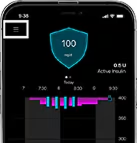
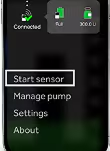
3. Tap Start sensor.
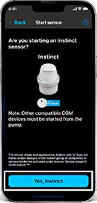
4. Confirm you want to start the Instinct sensor by tapping Yes, Instinct.
Apply the sensor
Apply the sensor
You can follow the steps in your app by tapping How to apply sensor or tap Next to skip and apply on your own. This section will still show you all the steps.
Prep the skin. Wash with plain soap, dry, clean with alcohol wipe, then let dry.
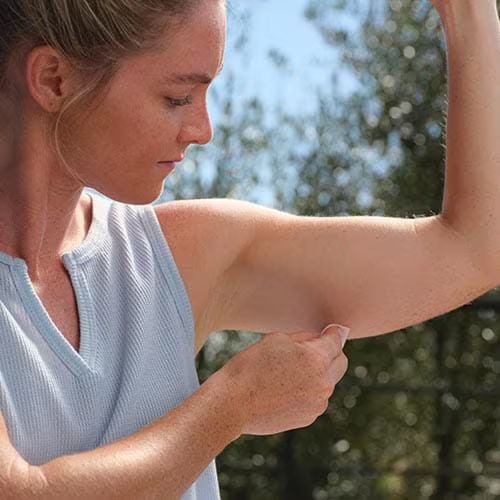
Prepare the sensor. Unscrew the cap from the Sensor Applicator.
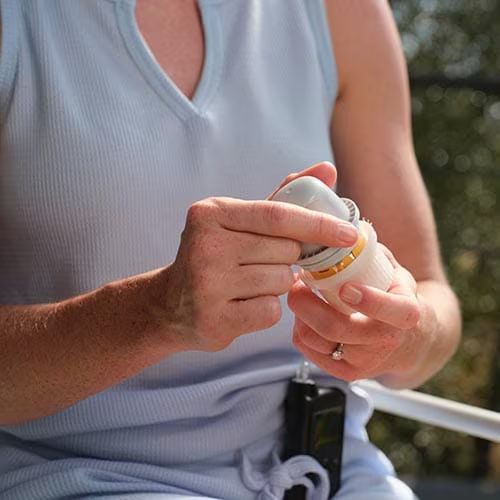
Apply the sensor. Push down firmly to apply sensor, then gently pull Sensor applicator away from body. Make sure sensor is secure.
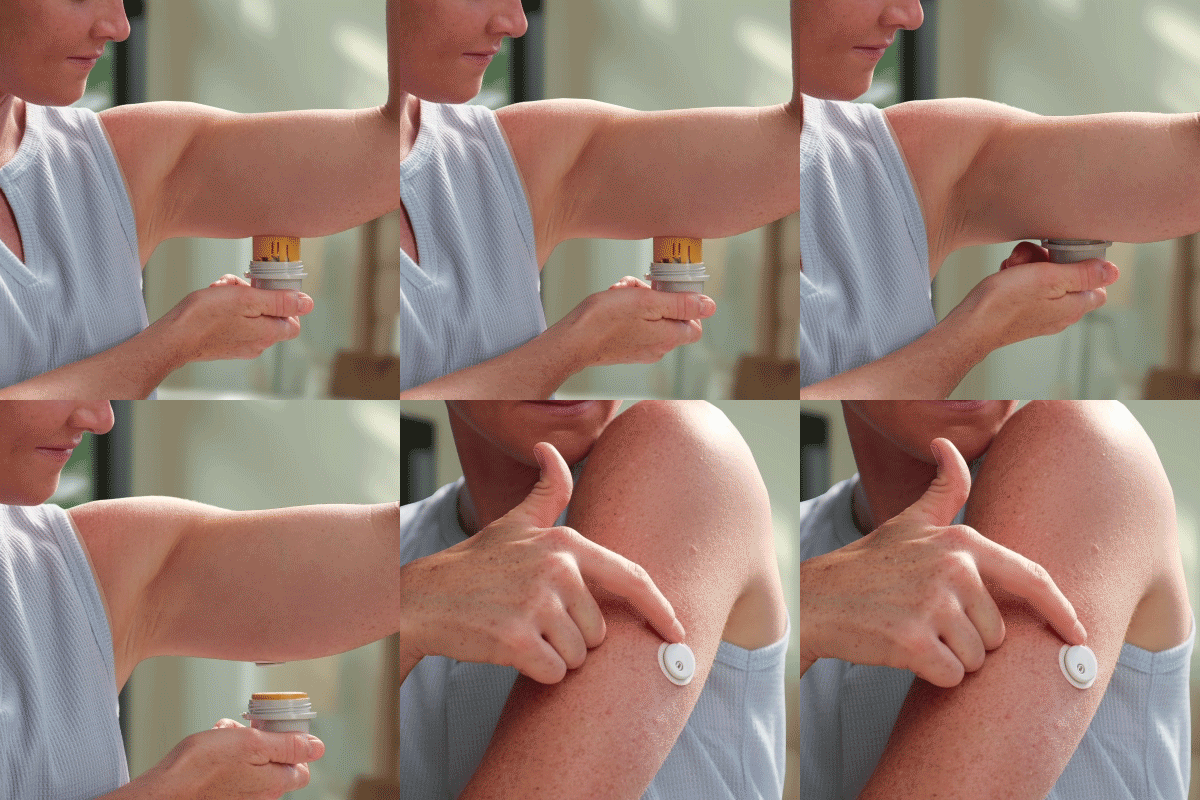
Getting started
Watch this video for tips on starting and applying your sensor on the back of your arm.
Scanning your sensor
Scanning your sensor
You can follow the steps in your app by tapping How to scan sensor or tap Scan new sensor to skip and scan on your own. This section will walk you through all the steps.
1. Tap Next
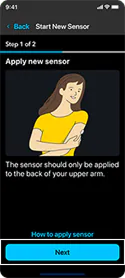
2. When scanning a new sensor, your pump must be on the Home screen with no active alerts or alarms. Next, on your device, tap Scan new sensor. If you are using an iOS device, hold the top of your device near your sensor. If you are using an Android device, hold the back of your device near your sensor.
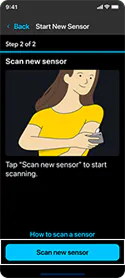
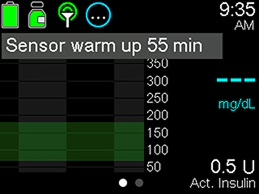
Once you hear the beep or feel the vibration, your Instinct sensor has started, and the 1-hour warm-up begins. The Sensor warm up X:XX min message appears on the Home screen until the sensor warm-up is complete. After the warm-up is complete, the pump begins receiving sensor glucose readings.
Simplera Sync sensor
Complete your software update
Complete your software update
Before you begin, please note the following:
- You’ll need to finish this software update process before you can start using the new Simplera Sync sensor.
- No need to wait for your new sensors to arrive — go ahead and do the update now. After you complete the update, your pump will work with GuardianTM 4, Simplera Sync and Instinct sensors. You can keep using your Guardian 4 sensors with the new update until your Simplera Sync sensors arrive.
- A compatible mobile device is needed to complete the update. Don’t have one? Check to see if your device is compatible. You can borrow a phone from a friend or family member just for the update process.
How to update your software
Heads up: The full process can take up to 2 hours.
1. Download the MiniMed™ Mobile app to your compatible mobile device
Apple App Store →
Google Play Store →
2. Open the app and sign in using your CareLinkTM Personal username and password. Make sure to sync to CareLinkTM from the app
3. Download and install the software update
- The download may take up to 90 minutes. Don’t worry, your pump will keep working normally.
- The install takes about 20 minutes. During that time, your insulin delivery and glucose readings will pause, so make sure to plan ahead.
Start your new sensor
Start your new sensor
Unpair any previous CGMs
Remove (unpair) any previous CGMs from the paired devices menu on your pump. This one-time step only applies if you were using a Guardian transmitter.
To unpair:
- Go to Paired devices on your pump
- Select your current sensor
- Select Unpair and then confirm by selecting Yes
Insert the Simplera Sync sensor
Insert the Simplera Sync sensor
The following steps can help you get the best performance and longest wear.
Prepare — Prep the skin using an alcohol wipe and let your arm completely dry before inserting.
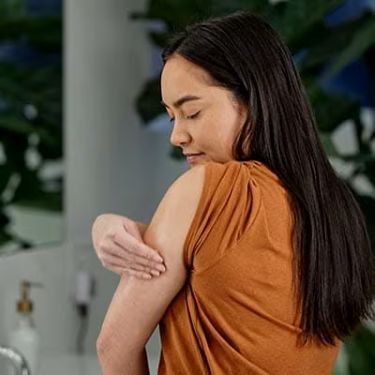
Insert — Unscrew the cap and press the inserter firmly against the insertion site until you hear a click.
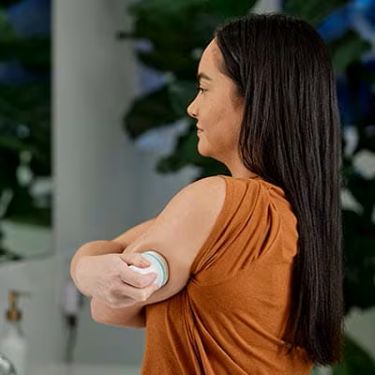
Secure — Use your finger to smooth down the adhesive.
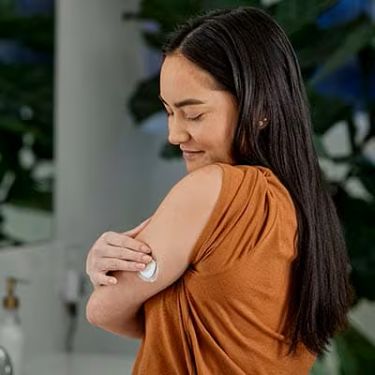
Watch this video for tips on inserting your sensor on the back of your arm.
Pair your new sensor
Pair your new sensor
Getting your new sensor connected is quick and easy. Just follow these steps:
1. On your pump, go to Paired devices.
2. Select Pair new device.
3. Select the CGM device number that matches the serial number located at the top of your sensor inserter.
4. Confirm the CODE on the screen matches the CODE on the top of the sensor inserter.
Note: If the Simplera Sync sensor is not paired with the pump within 20 minutes after the cap is removed from the inserter, enter the CODE and select Confirm to pair the sensor.
Once your sensor is successfully paired, you’ll see a Pairing successful! message on your pump. When the sensor is connected and working, the green connection icon will appear on your Home screen.
After you insert the sensor, the screen will show: Sensor warm up X:XX hr, this warm-up period lasts about 2 hours. After the warm-up is complete, the pump will begin receiving sensor glucose values.
Note: No unpairing is required when changing the Simplera Sync sensor. Pair your new one and the old one will disconnect automatically.
Visit the Simplera Sync support page for more info.