.png)


Setting a Temp Basal rate
Device: MiniMedTM 780G insulin pump
- From the Home screen, press Select.
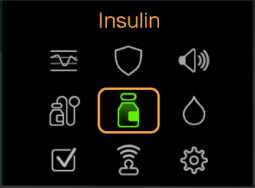
- Select Insulin.
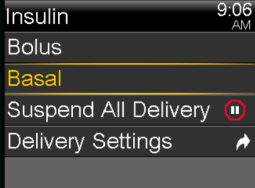
- Select Basal.
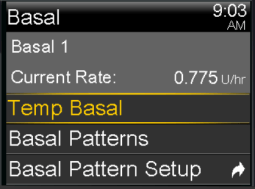
- Select Temp Basal.
- Press Up to set duration and press Select.
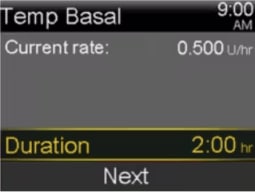
- Select Next.
- Select Type to choose Rate or Percent.
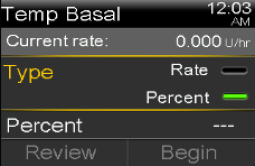
- Press Select and then Up or Down to enter the adjusted rate or percent of current basal rate desired. Press Select.
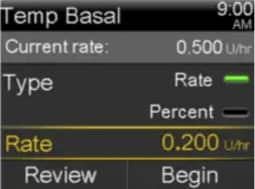
- Select Begin.
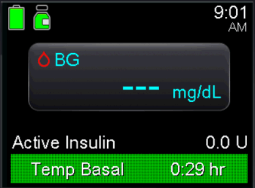
The Home screen displays a green Temp Basal banner to indicate that you have a Temp Basal active. When the Temp Basal is complete, the basal will automatically return to the regularly programmed basal rate.