.png)


MiniMed Simulator app
The MiniMedTM Simulator app provides a practice environment for the MiniMed FlexTM system system without connecting to a pump. It shows the same screens and buttons you would see in the MiniMedTM app that you would connect to your pump. You can tap through the screens, explore app features, and see how the system works in a safe way. This can help you feel more comfortable with the MiniMed Flex system before getting started. A loved one or caregiver can also come back here on their phone anytime for extra practice so they can better support you.
Important: The Simulator app is for learning and practice only. It does not connect to your pump, sensor, or real-time data. It should not be used to make treatment decisions. The app has built-in pop-up reminders that it is for practice only.
App screens are for demonstration purposes only. Yours may look different based on your individual settings.
How to use the MiniMed Simulator app
1. Download the MiniMed Simulator app


2. Follow the in-app instructions to select your pump and sensor to practice.
3. The app is split into two categories:
Get started
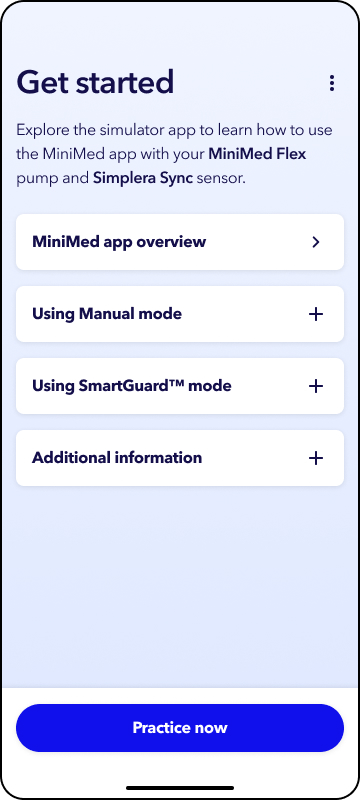
In this section, you can learn about the MiniMed app, see common actions you may do each day, and find helpful tips about alertsand staying connected for the best experience.
As you complete each section, you will see a green check mark appear. Once you’ve gone through every section, it’s time to practice!
Practice now
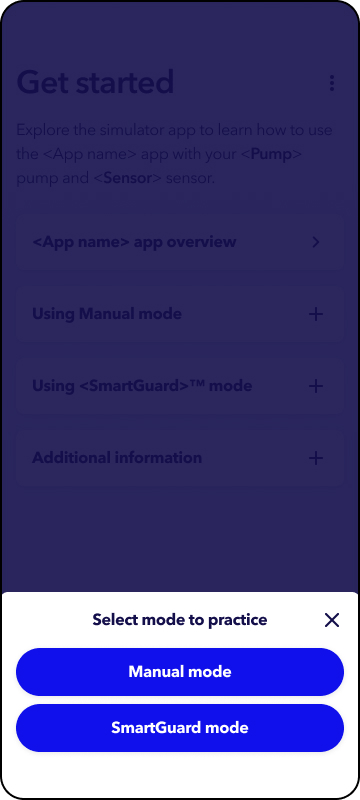
You have the option to practice in Manual mode or SmartGuardTM mode. Select the mode you wish to practice.
In either mode, you can practice common actions you would do everyday in the MiniMed Flex system like delivering a bolus, setting a temp basal or temp target, and suspending or resuming insulin. You are also able to see how settings appear in the app and become familiar with app navigation.