.png)


Sensor Glucose Widget
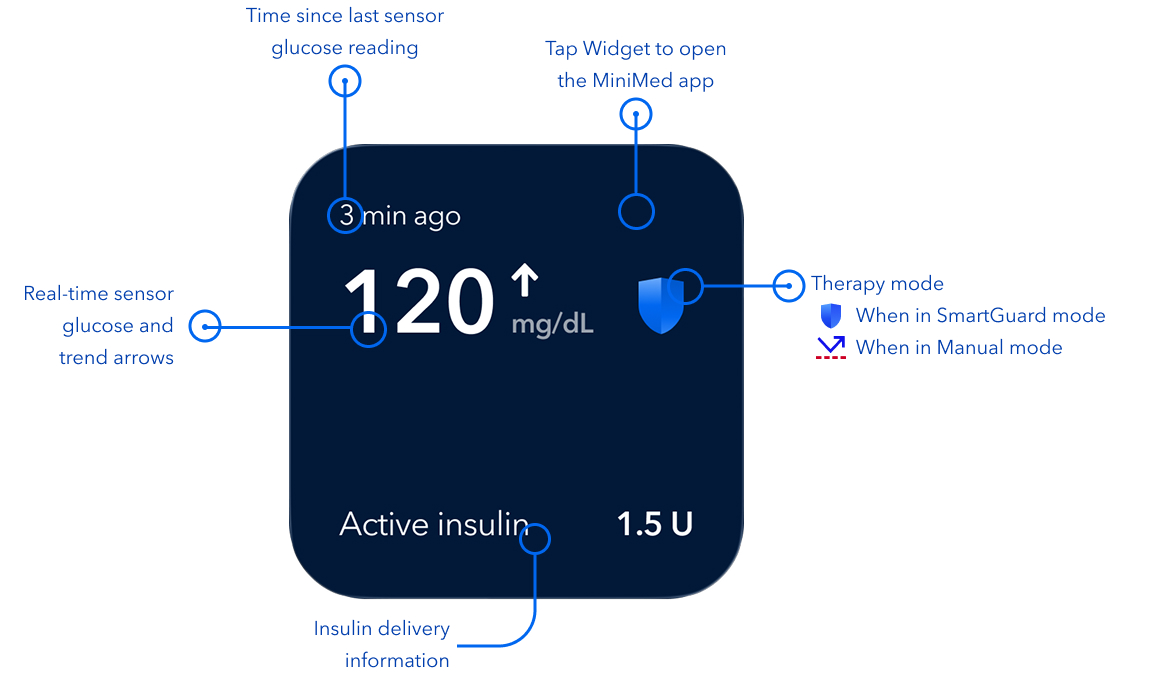
See your glucose and active insulin on your iPhone home screen without opening the MiniMedTM app. The Widget is available on the iPhone Home Screen, in Today View, and in Standby mode.
Note: You will need to open the MiniMed app to view complete therapy details and use app features.
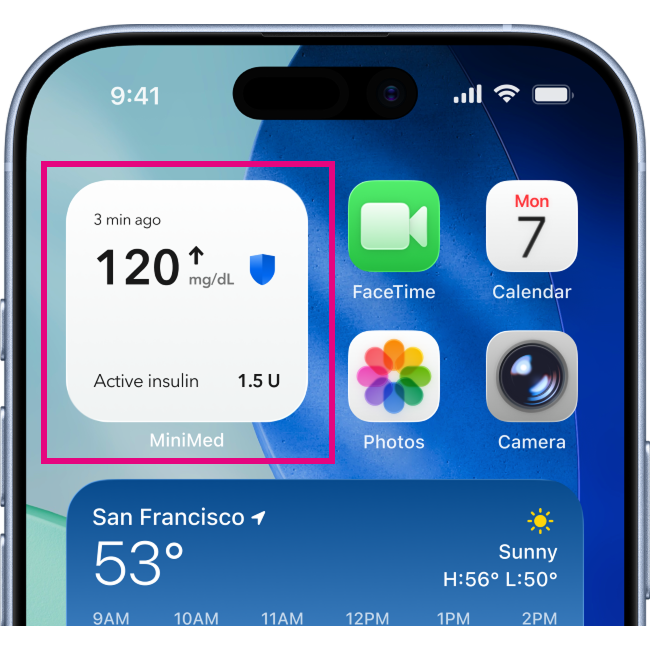
Get to know your Widget
How to add the MiniMed app Widget to your Home screen
- From your iPhone Home screen, touch and hold an empty area on the screen until the apps begin to shake.
- Tap Edit at the top of the screen.
- Tap Add Widget.
- Tap the Search Widgets bar and enter MiniMed app.
- Tap MiniMed app and swipe through the available size and style options.
- Select your desired style and tap Add Widget.
- While the apps are still shaking, move the widget to your preferred location on the screen.
- Tap Done.
Steps may vary depending on your iOS version. For more details, visit: Apple's support website