.png)


Find your serial number
Device: MiniMed FlexTM system
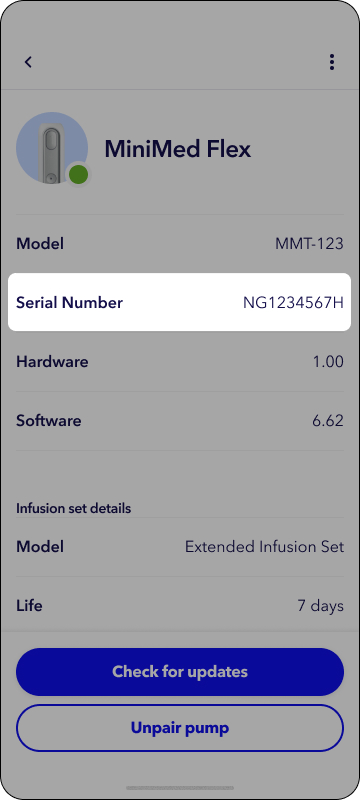
You can find the serial number on your MiniMed Flex system on the bottom of the device or through the paired MiniMed app.
On your device
Look at the bottom of the Flex pump for the letters SN followed by alphanumeric digits.
In the app
- From the Home screen, tap the pump device status icon
 .
. - Tap Details.
- Tap Info.
- Your pump serial number will be listed.