.png)


Pairing and unpairing the Flex pump to the MiniMed app
Device: MiniMed FlexTM insulin pump
Sometimes you may need to pair or unpair the pump with your phone, such as when setting up a new phone or replacing your pump.
Note: Before pairing a new pump with the app, you must first unpair your current pump. After unpairing, we also recommend removing the previous pump from your phone’s Bluetooth settings before pairing the new pump.
All app screens are for demonstration purposes only. Your screen may differ depending on individual settings.
To unpair the Flex pump from the app
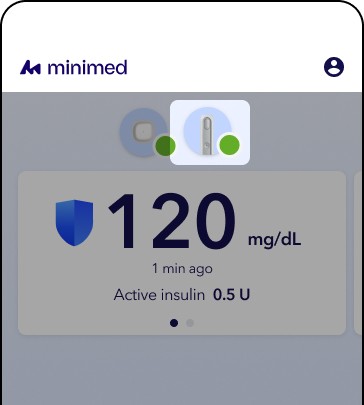
1. From the home screen, tap the device status icon.
2. Tap Details.
3. Tap Info.
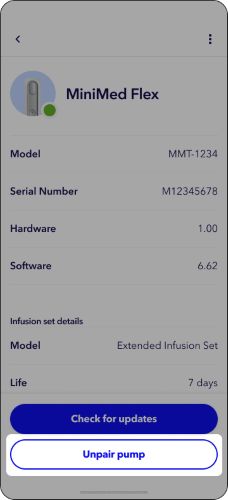
4. Tap Unpair pump and follow the on-screen instructions
To pair the Flex pump from the app
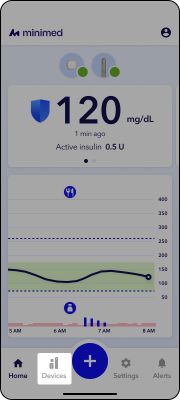
1. From the home screen, tap Devices.
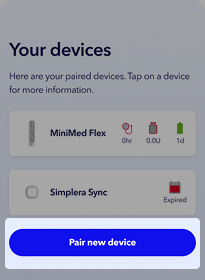
2. Tap Pair new device and follow the on-screen instructions