


URGENT MEDICAL DEVICE CORRECTION
MiniMed GoTM Android OS 15 Background Alert Audio Failure Issue
MiniMed GoTM Android OS 15 Background Alert Audio Failure Issue — Download
| Product Names | Model/CFN Number | Unique Device Identifier (UDI) |
|---|---|---|
MiniMed GoTM App | MMT-8601 (Android) | 00199150038985 (MMT-8601) |
November 2026
Dear MiniMed Community member,
We are contacting you regarding the MiniMed Go app downloaded in Android devices with OS 15. We have identified an issue where audible alert notification sounds do not play when the app is running in the background following a mobile device reboot. This notification provides instructions on how to correct the issue by updating your MiniMed Go app to software version 1.3.0or higher. If you use the MiniMed Go app on an Apple device no action is required.
Issue Description:
The MiniMed Go app is designed to provide audible alerts, vibration, and in-app notifications to notify users of glucose-related events, when paired with your InPen Smart Insulin Pen and Simplera or Instinct Go sensor. Due to this anomaly listed above, on devices running Android OS 15, audible alert notifications do not play following a device reboot; however, visual notifications and vibration continue to function as intended.
Risk to Health:
If audible alert notification sounds do not play when the app is running in the background, the user may not become aware of a glucose-related event in a timely manner, especially when relying on audible notifications while sleeping or when the device is not being actively monitored. A delay in recognizing the event may postpone appropriate intervention and could contribute to worsening hyperglycemia or hypoglycemia, potentially resulting in severe glycemic consequences. No complaints related to this anomaly have been reported.
Actions Required:
Please update your MiniMed Go App software to version 1.3.0 or higher and, share this information with caregivers or others who need to be made aware.
For Android Users:
To confirm the latest app version on your Android device, follow the steps below:
- Open the Google Play Store.
- Tap Menu, then select Manage apps & device.
- Apps with an update available are labeled “Update available.” You can also search for the MiniMed Go app.
- Tap Update next to the MiniMed Go app icon.
- If assistance is required, please call the MiniMed 24-Hour Technical Support line at 1-800-646-4633, option 1
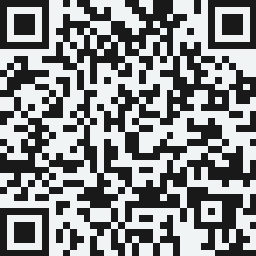
Regardless of whether your MiniMed Go app is affected or not, please acknowledge that you have read and understood this notification and have followed the actions listed in this notification by scanning the QR code below with your phone or tablet, or by visiting https://info.medtronicdiabetes.com/FA1596 to acknowledge this communication.
Adverse reactions or quality problems experienced with the use of this product may be reported to the FDA's MedWatch Adverse Event Reporting program either online, by regular mail, or by fax as follows:
- Complete and submit the report online: www.fda.gov/MedWatch/report.htm or
- For Regular mail or fax: Download the form at www.fda.gov/MedWatch/getforms.htm or call 1-800-332-1088 to request a reporting form, then complete and return to the address on the pre-addressed form or submit by fax to 1-800-FDA-0178.
As always, we are here to support you and ensure we deliver the highest quality products possible. If you have further questions or need assistance, please call the MiniMed 24-Hour Technical Support line at 1-800-646-4633, option 1.
Sincerely,
MiniMed