.png)


Sensor alerts, alarms, and messages
Links to Sensor Alerts, Alarms, and Messages page:
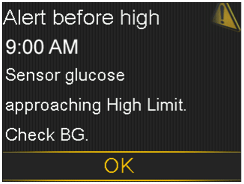
What has happened: Your SG value is approaching your specified high limit.
Next steps
- Select OK to clear the alert.
- Check your BG.
- Follow instructions from your healthcare professional and continue to monitor your BG.
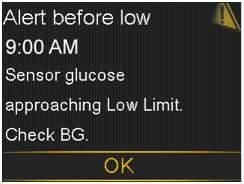
What has happened: Your SG value is approaching your specified low limit.
Next steps
- Select OK to clear the alert.
- Check your BG.
- Follow instructions from your healthcare professional and continue to monitor your BG.
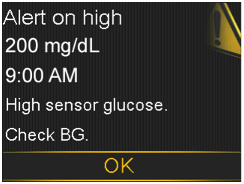
What has happened: Your SG value is at or above your specified high limit.
Next steps
- Select OK to clear the alert.
- Check your BG.
- Follow instructions from your healthcare professional and continue to monitor your BG.
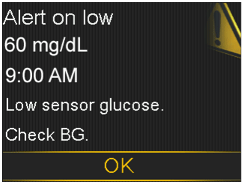
What has happened: Your SG value is at or below your specified low limit.
Next steps
- Select OK to clear the alert.
- Check your BG.
- Follow instructions from your healthcare professional and continue to monitor your BG.
Alert on low XXX mg/dL. Low sensor glucose. Insulin delivery suspended since XX:XX AM/PM. Check BG.
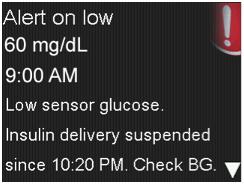
What has happened: Your SG value is at or below your specified low limit, and the pump has suspended insulin delivery due to a Suspend on low event.
Next steps
- Select OK to clear the alert.
- Check your BG.
- Follow instructions from your healthcare professional and continue to monitor your BG.
Basal delivery resumed
Basal Delivery Resumed. Basal delivery resumed at XX:XX AM/PM after suspend by sensor. Check BG.
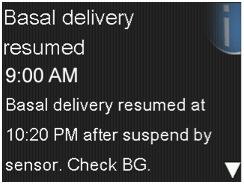
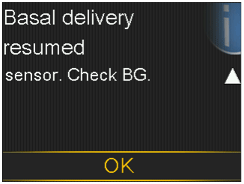
What has happened: Your pump is resuming basal insulin delivery after a Suspend on low event occurred.
Next steps
- Select OK to clear the alert.
- Check your BG.
- Follow instructions from your healthcare professional and continue to monitor your BG.
Basal Delivery Resumed. Maximum 2 hour suspend time reached. Check BG.
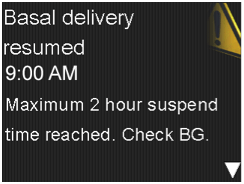
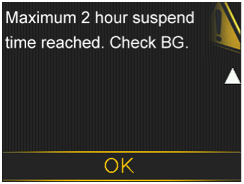
What has happened: Your pump is resuming basal insulin delivery two hours after a Suspend on low event occurred.
Next steps
- Select OK to clear the alert.
- Check your BG.
- Follow instructions from your healthcare professional and continue to monitor your BG.
Basal Delivery Resumed. Maximum 2 hour suspend time reached. SG is still under Low limit. Check BG.
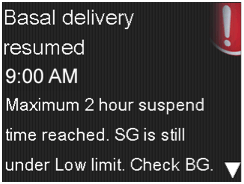
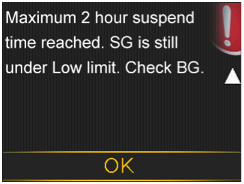
What has happened: Your pump is resuming basal insulin delivery two hours after a Suspend on low event occurred. However, your SG value is still at or below your low limit.
Next steps
- Select OK to clear the alert.
- Check your BG.
- Follow instructions from your healthcare professional and continue to monitor your BG.
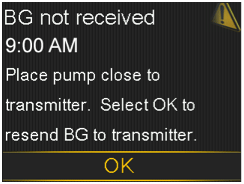
What has happened: The transmitter was unable to receive the calibration BG meter readings from the pump.
Next steps
- Move your pump and transmitter closer together.
- Select OK. Your pump tries again to send your BG to your transmitter for sensor calibration.
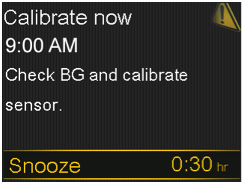
What has happened: A BG meter reading is needed immediately to calibrate your sensor so that you can continue receiving sensor glucose readings.
Next steps
- Take a BG meter reading and enter for calibration. After you receive a Calibrate now alert, it takes about 15 minutes after you calibrate for your pump to receive SG values.
- If you are unable to calibrate now, you can use the Snooze feature. Set the desired time, and select Snooze. If you do not calibrate before the Snooze time is up, the Calibrate now alert occurs again.
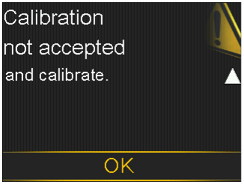
What has happened: Your system was unable to use the BG meter reading you entered to calibrate your sensor.
Next steps
- Wash and dry your hands thoroughly.
- Enter a new BG meter reading for calibration as instructed in the Calibrating your sensor section of the user guide. If you receive a Calibration not accepted alert on your second calibration, a Change sensor alert occurs.
- Call the 24-hour helpline if you have questions.
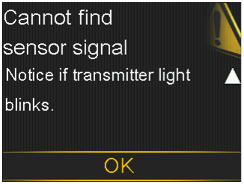
What has happened: The pump has not received a signal from the transmitter.
Next steps
- Disconnect and reconnect your transmitter and sensor.
- See if the light on your transmitter blinks when connected to the sensor. You may need this information for troubleshooting later. Select OK. Your pump searches for your sensor. If your pump receives a signal from your sensor, you do not need to do anything else. If your pump does not receive a signal from the sensor, another message appears to let you know.
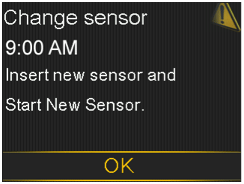
What has happened: You selected No in the Check sensor insertion message, indicating that your sensor is not fully inserted.
Next steps
- Select OK to clear the alert.
- Change your sensor. For details see the Inserting your sensor webpage.
- After you change your sensor, refer to the Starting your sensor webpage.
Change sensor. Second calibration not accepted. Insert new sensor.
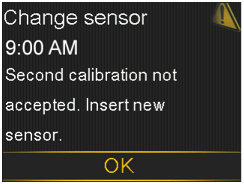
What has happened: This alert occurs when you receive two Calibration not accepted errors in a row.
Next steps
- Select OK to clear the alert.
- Change your sensor. For details, see the Inserting your sensor webpage.
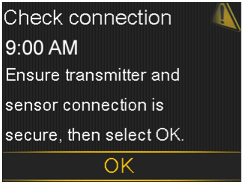
What has happened: The pump fails to detect the transmitter and is unable to receive sensor signal.
Next steps
- Select OK to clear the alert.
- If your sensor is fully inserted, select Yes. If your sensor is not fully inserted, select No.
- If your sensor was not fully inserted, insert a new sensor.
- If you still cannot connect your sensor, follow the instructions for finding the lost sensor signal.
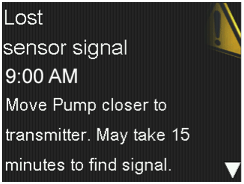
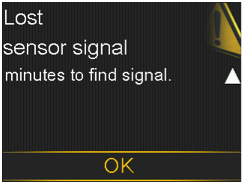
What has happened: Transmitter signal has not been received for 30 minutes during or after initialization.
Next steps
- Move your pump closer to your transmitter. It can take up to 15 minutes for your pump to start communicating with your transmitter.
- Select OK to clear the alert.
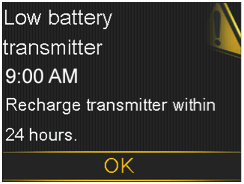
What has happened: The battery in the transmitter needs to be recharged within 24 hours.
Next steps
- Select OK to clear the alert.
- Recharge your transmitter as soon as possible.
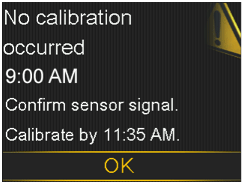
What has happened: The transmitter was unable to receive the calibration BG meter readings from the pump.
Next steps
- Select OK to clear the alert.
- Check the status bar on your pump to ensure that your pump has a signal from your sensor. If there is no sensor signal, follow the instructions for finding the lost sensor signal.
- Calibrate again by the time shown on the pump screen to ensure you continue SG monitoring.
No calibration occurred. Confirm sensor signal. Check BG again to calibrate sensor.
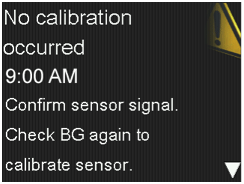
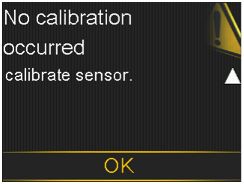
What has happened: The transmitter was unable to receive the required calibration BG from the pump. Calibration is required by the system for SG values to resume. "Calibration required" appears on your sensor graph.
Next steps
- Select OK to clear the alert.
- Take another BG meter reading and calibrate again.
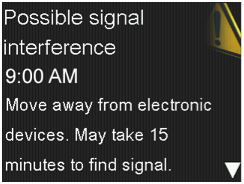
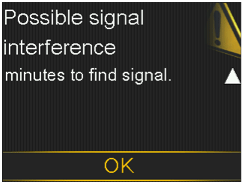
What has happened: There may be interference from another electronic device that is affecting the communication between your pump and transmitter.
Next steps
- Move away from other electronic devices. It can take up to 15 minutes for your pump to start communicating with your transmitter.
- Select OK to clear the alert.
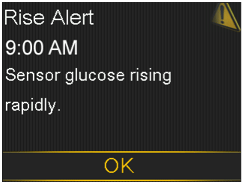
What has happened: Your SG value has been rising as fast or faster than your preset Rise Alert Limit.
Next steps
- Select OK to clear the alert.
- Monitor trend and glucose level.
- Follow instructions from your healthcare professional.
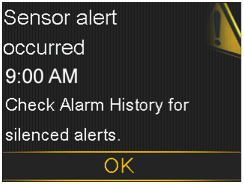
What has happened: A sensor alert occurred when Alert Silence is on.
Next steps
- Select OK to clear the alert.
- Check the Alarm History screen to see which alerts were silenced. Review these instructions for more information about accessing your Alarm History.
- Select the alert to open the Alarm Detain screen.
- Take action based on the selected alert.
Sensor connected. If new sensor, select Start New. If not, select Reconnect.
What has happened: The transmitter has detected that you have connected a sensor. The pump needs to know if this is a new sensor or if you have reconnected your old sensor.
Next steps
- If you have connected a new sensor, select Start New Sensor.
- If you have reconnected a sensor you have been using, select Reconnect Sensor.
- In either case, a “warm-up” message appears on your Home screen, and you are prompted to calibrate your sensor. Your pump starts receiving your SG values again after the two-hour initialization is complete.
Sensor connected. Start new sensor.
What has happened: The transmitter has detected that you have connected a sensor.
Next steps
- Select Start New Sensor.
- Follow the steps for starting a new sensor.
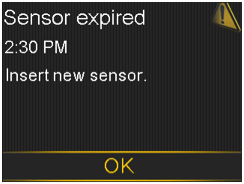
What has happened: The sensor has been used for 6 days (144 hours). It has reached the end of its useful life.
Next steps
- Change your sensor. Follow the steps for changing your sensor.
Sensor signal not found. Did transmitter light blink when connected to sensor?
What has happened: The pump has still not received a signal from the transmitter.
Next steps
- When you reconnected the transmitter to the sensor, did you see a blinking green light on the transmitter?
- Select Yes or No and follow the instructions on the screen.
Sensor signal not found. See User Guide.
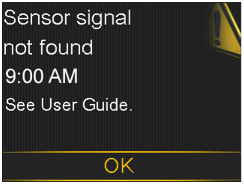
What has happened: After multiple attempts, the pump failed to detect the transmitter and is unable to receive sensor signal.
Next steps
- Select OK to clear the alert.
- Repeat the connection process. Remove the transmitter from the sensor for about 10 seconds, and then reconnect it to the sensor.
- It can take up to 15 minutes for your pump to find the sensor signal.
- Move your pump closer to your transmitter to improve reception.
- Make sure you are away from any electronic devices that might cause interference, such as cellular phones and other wireless devices.
- If your pump still cannot find the sensor signal, call the 24-hour helpline for assistance.
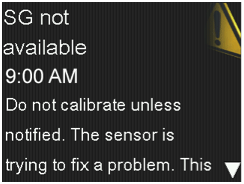
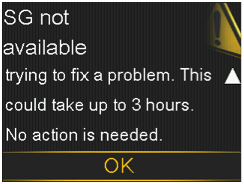
What has happened: The sensor signals are either too high or too low.
Next steps
- You do not need to change the sensor. If the alert persists, test your transmitter with the tester.
- Refer to your transmitter user guide for instructions on testing the transmitter.
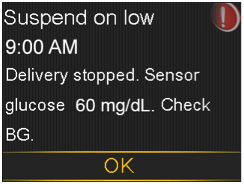
What has happened: Your SG value is at or below the low limit your specified.
Next steps
- Select OK to clear the alert.
- Check your BG. If necessary, treat your BG as directed by your healthcare professional.
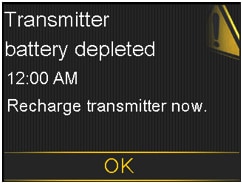
What has happened: The battery in the transmitter needs to be recharged. SG values are not recorded or transmitted until your recharge transmitter.
Next steps
- Select OK to clear the alert.
- Recharge your transmitter.