.png)


Pump alarms, alerts, and messages
The following is an alphabetical list of the most common or serious alarms, alerts, and messages related to your pump. The table also explains the meaning, consequences, and the reasons why these notifications appear, and provides steps for problem resolution.
If you get an alarm, alert, or message that is not listed, select OK to clear the alarm and call the 24-hour helpline.
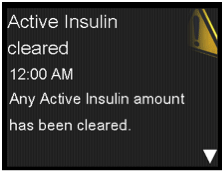
What has happened: An alarm has cleared your active insulin amount. Your active insulin amount is now at 0 units.
Next steps:
- Select OK to clear the alarm
- The active insulin tracked prior to pump restart is not included in new Bolus Wizard® calculations. Consult your healthcare professional for how long you need to wait after active insulin is cleared before you can rely on the active insulin calculation of your Bolus Wizard.
- You can check Daily History for the time and amount of your last bolus
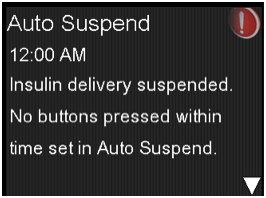
What has happened: You have not pressed any buttons during the time specified in the Auto Suspend settings.
Next steps:
- To clear the alarm and resume basal insulin delivery, select Resume Basal
- Check your BG and treat as necessary
Battery failed
Insert a new AA battery.
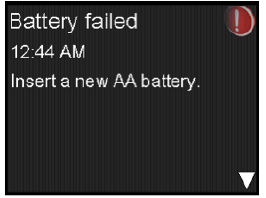
What has happened: The pump battery does not have enough power. The pump requires one new AA (1.5 V) battery. For best results, use a new AA lithium (FR6) battery. The pump also accepts an AA alkaline (LR6) or a fully charged AA NiMH (HR6) nickel-metal hydride rechargeable battery.
Next steps:
- Select OK to clear the alarm
- Remove the old battery and insert a new AA battery
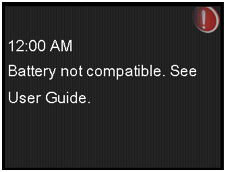
What has happened: The battery that you inserted into the pump is not compatible. The pump requires one new AA (1.5 V) battery. For best results, use a new AA lithium (FR6) battery. The pump also accepts an AA alkaline (LR6) or a fully charged AA NiMH (HR6) nickel-metal hydride rechargeable battery.
Next steps:
- To clear the alarm, remove the incompatible battery
- Insert a new AA battery
Bolus not delivered
Bolus entry timed out before delivery. If bolus intended, enter values again.
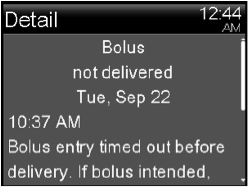
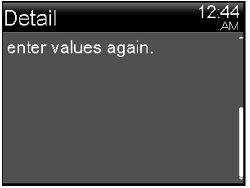
What has happened: Bolus values entered, but bolus was not delivered within 30 seconds.
Next steps:
- Select OK to clear the alert
- If bolus delivery was intended, check your BG, re-enter bolus values and deliver bolus
Bolus stopped
Cannot resume bolus or cannula fill. XX.XXX of YY.YYY U delivered. ZZ.ZZZ U not delivered. If needed, enter values again.
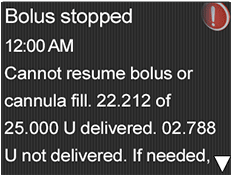
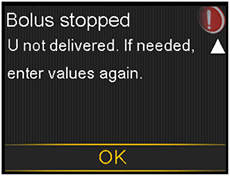
What has happened: The battery power was exhausted while a bolus or Fill Cannula was in progress.
Next steps:
- Note the amount of insulin not delivered
- Replace the AA battery
- Select OK to clear the alarm
- Deliver the remaining bolus amount if needed
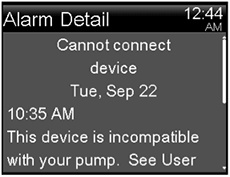
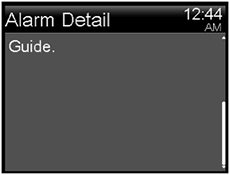
What has happened: You may be trying to connect a device that is not compatible with your pump or you are trying to connect a transmitter to your pump but another transmitter is already wirelessly connected to your pump.
Next steps:
- Select OK to clear the alert
- Check the list of devices that are compatible with your pump in Additional 630G system devices, on page 19 of your User Guide
- If you are replacing your transmitter, make sure that you first delete the old transmitter from your pump before you try to connect your new transmitter. Only one transmitter can be connected to your pump. For details, see Deleting the transmitter from your pump, on page 182 of your User Guide.
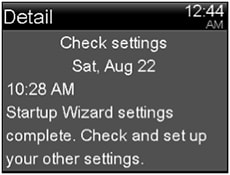
What has happened: Some settings have been cleared or reverted to factory default values.
Next steps:
- Select OK to clear the alert
- Review any settings that you have not already set in Startup Wizard and re-enter the values, if necessary
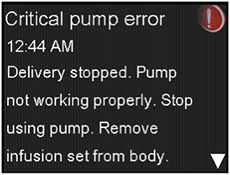
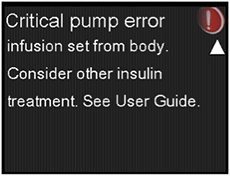
What has happened: Your pump has encountered a critical error.
Next steps:
The pump is not able to deliver insulin. Remove your infusion set and stop using your pump.
- Consider another form of insulin delivery
- Check your BG, and treat as necessary
- Write down the error code that appears on the alarm screen
- Call the 24-hour helpline for assistance with your pump
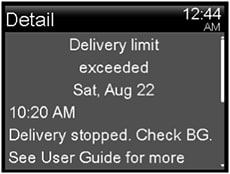
What has happened: You have attempted to deliver more insulin than expected based on your Max Bolus and Max Basal settings.
Next steps:
- Check your BG
- Select Resume Basal
- Check Bolus History and reevaluate your need for insulin
- Continue to monitor your BG
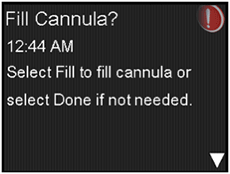
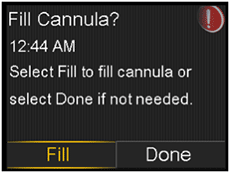
What has happened: You had the Fill Cannula screen displayed for 15 minutes.
Next steps:
- To proceed and fill the cannula, select Fill
- If you do not need to fill the cannula, select Done to skip this process
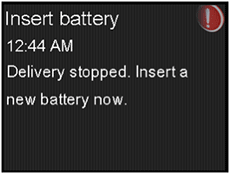
What has happened: The battery was removed from the pump.
Next steps:
- Insert a new AA battery
- The alarm clears when you insert a new battery
- The pump powers off after 10 minutes unless you insert a new battery
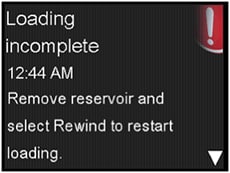
What has happened: You pressed the back button after loading began.
Next steps:
- Remove the reservoir to start again
- Select Rewind and follow the onscreen instructions
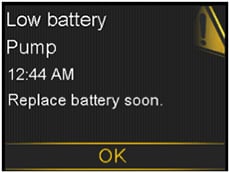
What has happened: The battery in the pump is low on power.
Next steps:
- Select OK to clear the alert
- Replace the AA battery as soon as possible. Otherwise, insulin delivery stops, and the Replace Battery Now alarm occurs
- If the pump is delivering a bolus or filling the cannula, wait until delivery is complete to replace battery
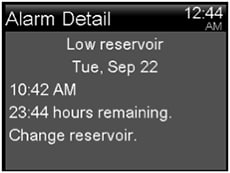
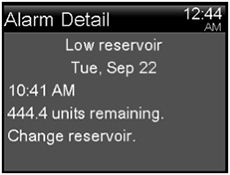
What has happened: Your reservoir is low on insulin, according to the number of hours or units set in the Low Reservoir Reminder.
Next steps:
- Select OK to clear the alert
- Change the reservoir soon
- If you do not change the reservoir after you receive this alert, you will receive a second Low reservoir alert when the insulin level reaches half of your original alert amount
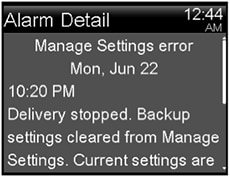
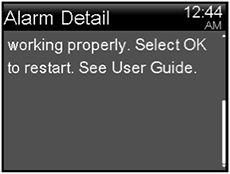
What has happened: A pump error has occurred, and you need to restart your pump. Your backup settings have been lost, but your current settings are unchanged.
Next steps:
- Select OK to restart your pump. Your current settings are unchanged. Only your backup settings are lost
- When the pump restarts, follow instructions on the pump display
- If the pump was delivering a bolus or filling the cannula, check Daily History and evaluate your need for insulin
- Consider saving your current settings
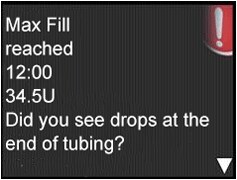
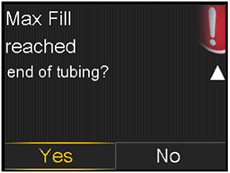
What has happened: You have exceeded the number of units expected to fill the tubing. By now, insulin should be at the end of the tubing.
Next steps:
- If you see drops at the end of the tubing, select Yes
- If you do not see drops, select No
- Follow instructions displayed on the pump
4X.X U. Remove reservoir and select Rewind to restart New Reservoir procedure.
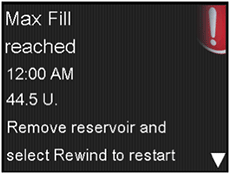
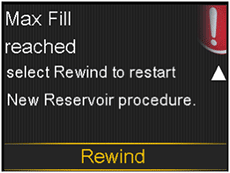
What has happened: You have exceeded the number of units expected to fill the tubing. By now, insulin should be at the end of the tubing.
Next steps:
- Remove the reservoir
- Check if you still have insulin in the reservoir. If you do, you can continue using the same reservoir
- Select Rewind to restart the new reservoir procedure
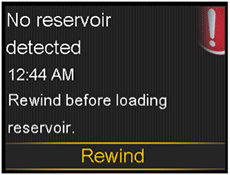
What has happened: There is no reservoir in the pump or the reservoir is not properly locked into place.
Next steps:
- Select Rewind
- Ensure that your reservoir is filled with insulin
- When prompted, ensure that your reservoir is inserted and properly locked into place
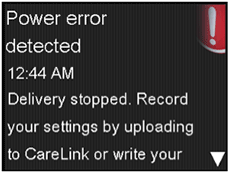
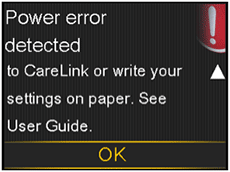
What has happened: The internal power source in your pump is unable to charge. Your pump is operating on the AA battery only.
Next steps:
- Select OK to clear the alert
- Check your BG and treat as necessary
- Record your settings as soon as possible because your AA battery may not last long
- Call the 24 Hour HelpLine for assistance with your pump
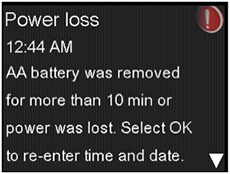
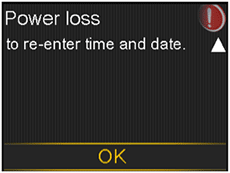
What has happened: Your pump battery has been out for more than ten minutes, and your pump has lost power. You must reset your time and date.
Next steps:
- Select OK to go to the Time & Date screen
- Enter the current time, time format, and date
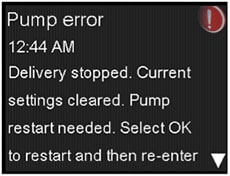
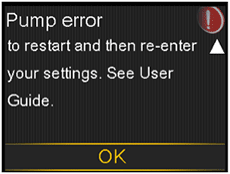
What has happened: Your pump encountered an error and will restart. Your pump settings will return to factory default values.
Next steps:
- When the pump restarts, follow instructions on the pump display
- After restart, check settings and re-enter values as needed
- If you recently saved backup settings in Manage Settings, use Restore Settings
- If the pump was delivering a bolus or filling the cannula, check Daily History and reevaluate your need for insulin
- If this alarm recurs frequently, write down the error code displayed on the alarm screen (you can also find it in your Alarm History) and call the 24-hour helpline
2. Delivery stopped. Settings unchanged. Pump restart needed. Select OK to restart. See User Guide.
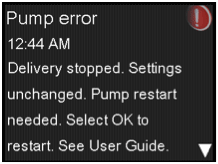
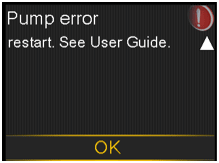
What has happened: A pump error has occurred, you need to restart your pump.
Next steps:
- Select OK to restart your pump
- If the pump was delivering a bolus or filling the cannula, check Daily History and reevaluate your need for insulin
- If this alarm recurs frequently, write down the error code displayed on the alarm screen (you can also find it in your Alarm History) and call the 24-hour helpline
3. Delivery stopped. Settings unchanged. Select OK to continue. See User Guide.
What has happened: Your pump encountered an error but a restart is not necessary. The issue is resolved. Your settings are not changed.
Next steps:
- Select OK to resume basal delivery
- If the pump was delivering a bolus or filling the cannula, check Daily History and reevaluate your need for insulin
- If this alarm recurs frequently, write down the error code displayed on the alarm screen (you can also find it in your Alarm History) and call the 24-hour helpline
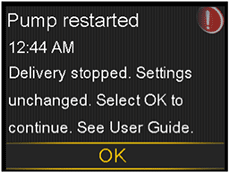
What has happened: Your pump has encountered a problem and has restarted. Your settings have not been changed.
Next steps:
- Select OK to continue
- If the pump was delivering a bolus or filling the cannula, check Daily History and re-evaluate your need for insulin
- If this alarm recurs frequently, write down the error code displayed on the alarm screen (you can also find it in your Alarm History) and call 24-hour helpline
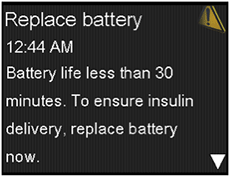
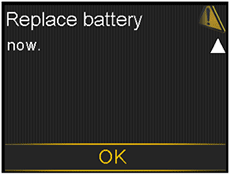
What has happened: Battery life is low and will be exhausted within 30 minutes.
Next steps:
- Select OK to clear the alert
- Replace the AA battery
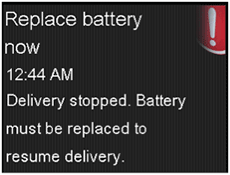
Next steps:
- Replace the battery immediately to resume insulin delivery
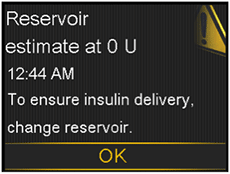
What has happened: Your reservoir level is estimated at 0 units.
Next steps:
- Select OK to clear the alert
- Change the reservoir now
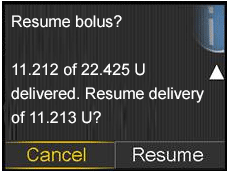
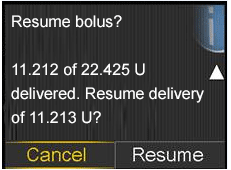
What has happened: A normal bolus delivery has been interrupted because the pump battery was removed. If it is within 10 minutes since this interruption, you can resume this bolus.
Next steps:
- Check the message to see how much of the bolus was actually delivered
- To cancel remaining amount of bolus, select Cancel
- To resume remaining amount of bolus, select Resume
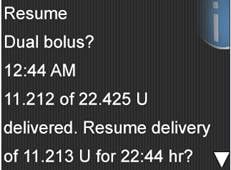
What has happened: The Square portion of Dual Bolus delivery has been interrupted. If it is within 10 minutes since this interruption, you can resume this bolus.
Next steps:
- Check the message to see how much of the Dual Wave bolus was actually delivered
- To cancel remaining amount of bolus, select Cancel
- To resume remaining amount of bolus, select Resume
2. XX of YY U delivered. Resume delivery of ZZ U now, and AA U Square for XX:XX hr?
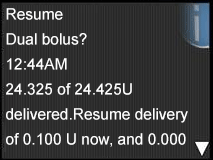
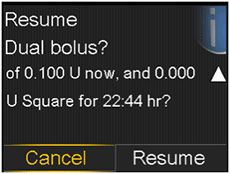
What has happened: The Now portion of a Dual Wave bolus delivery has been interrupted because the pump battery was removed. If it is within 10 minutes since this interruption, you can resume this bolus.
Next steps:
- Check the message to see how much of the Dual Wave bolus was actually delivered
- To cancel remaining amount of bolus, select Cancel
- To resume remaining amount of bolus, select Resume
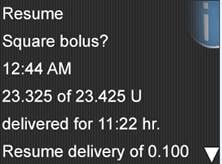
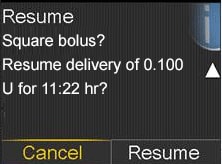
What has happened: The Square Wave bolus delivery was interrupted. If it is within 10 minutes since this interruption, you can resume this bolus.
Next steps:
- Check the message to see how much of the Square Wave bolus was actually delivered
- To cancel remaining amount of bolus, select Cancel
- To resume remaining amount of bolus, select Resume
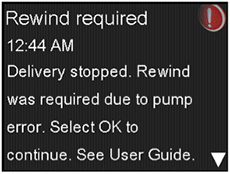
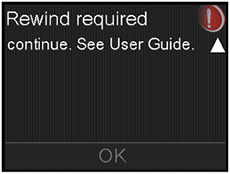
What has happened: Your pump encountered an error.
Next steps:
- Select OK to clear the alarm
- Select Rewind to start the new reservoir process using a new infusion set and reservoir
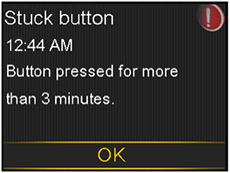
What has happened: The pump has detected that a button has been pressed for an unusually long time.
Next steps:
- Select OK to clear the alarm
- If this alarm occurs again, call the 24-hour helpline for assistance with your pump
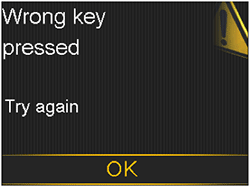
What has happened: Wrong button selected while unlocking the pump.
Next steps:
- Select OK to clear the alert
- Try to unlock the pump. Select the highlighted key when prompted