.png)


How to enter a BG
Device: MiniMedTM 780G insulin pump
Pump software version: 6.21, 6.42, and 6.61 (Find software version)
The system may request a blood glucose (BG) meter reading to continue use. Additionally, a BG meter reading can be entered at any time, if desired. The Blood Glucose menu allows manual entry of a BG meter reading. Previously entered manual or meter BG readings do not appear on the BG screen. A BG meter reading received from a linked meter appears in a separate BG meter screen that requires confirmation.
To manually enter BG meter readings:
- From the Home screen, press
 and then select
 .
.
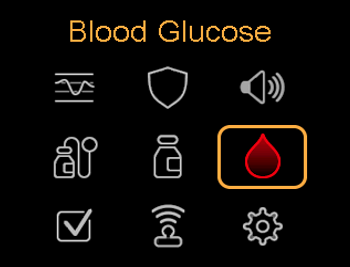
- Enter a BG value. Do not enter a sensor glucose (SG) in place of a BG meter reading. A BG meter reading must always come from a BG meter. The entered glucose value is used to calibrate the sensor.
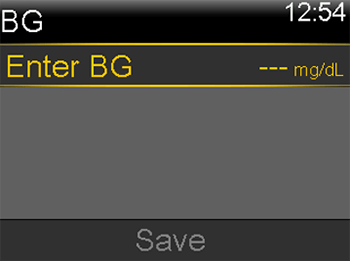
- Select Save.
Note: A BG meter reading can be manually entered on the Bolus WizardTM screen or on the Bolus screen while using the SmartGuardTM feature. To enter a BG meter reading on the Bolus WizardTM screen, select BG. To enter a BG meter reading on the Bolus screen while using the SmartGuardTM feature, press , and then press .
To confirm a BG meter reading from a linked BG meter:
When the BG meter screen with the message “Confirm BG?” shows, select Yes to confirm the BG meter reading. The BG received message shows. Please note that the MiniMedTM 780G system with software version 6.61 does not support a linked BG meter. All BG values must be entered manually into the pump as needed.