.png)


Basal rates and patterns
Device: MiniMed FlexTM insulin pump
Basal insulin is the "background" insulin that you need throughout the day and night to maintain your target blood glucose (BG) values when you're not eating.
Your basal rate is the specific amount of basal insulin that your pump continuously delivers each hour. While some people use one basal rate all day, others require different rates at different times of the day.
Your basal rates are set in one or more basal patterns. Each basal pattern covers 24 hours.
Please note that any settings shown on this page are for illustration purposes only. Your individual settings will vary. Always consult your healthcare professional before making any changes to your delivery settings.
To edit a Basal rate:
1. From the app home screen, tap Settings.
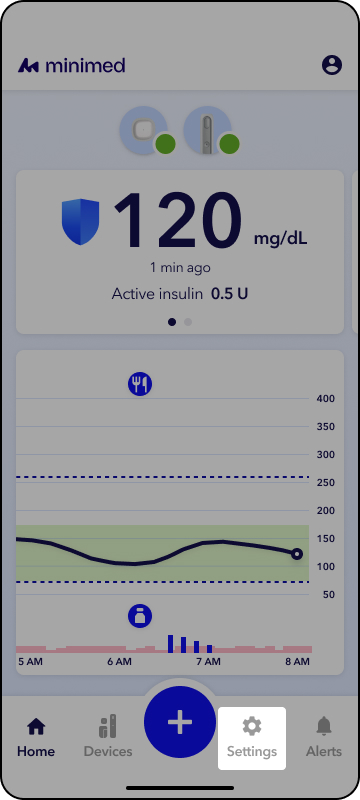
2. Tap Insulin Settings.
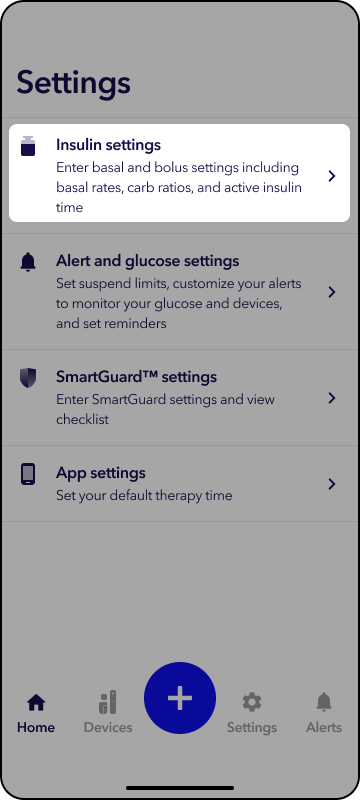
3. Tap Basal.
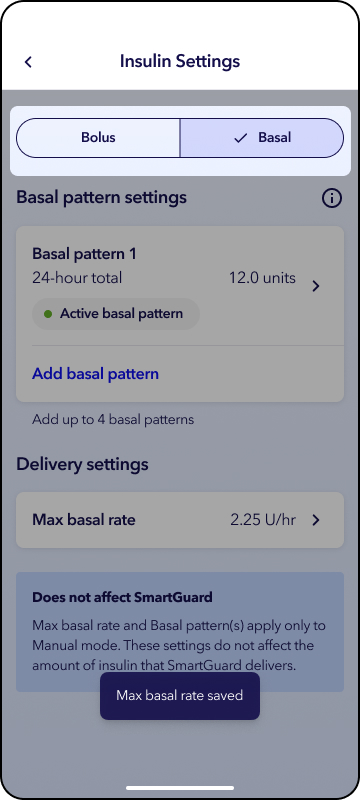
4. Tap a basal pattern to edit.
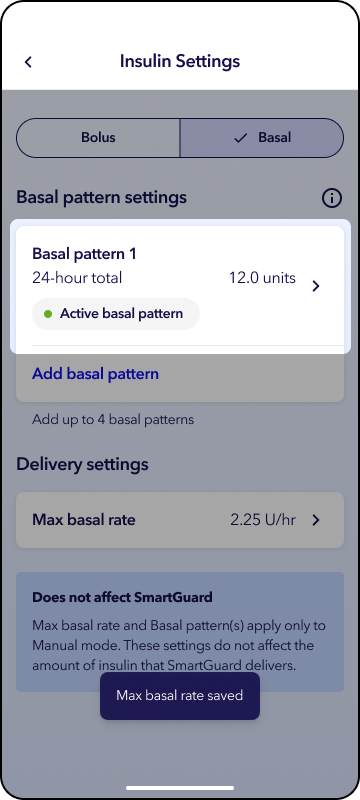
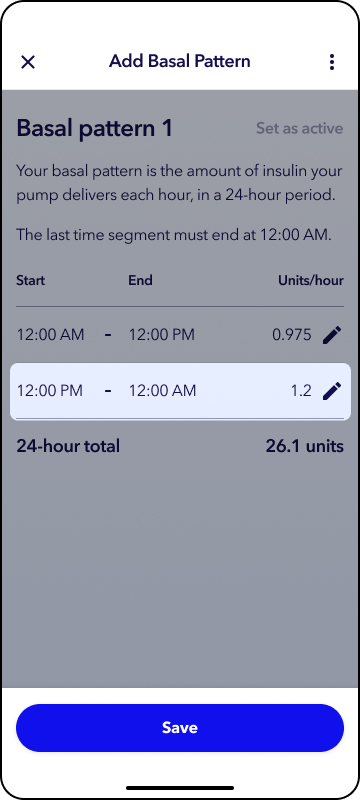
5. Tap  to edit time segment and setting then Continue.
6. Tap Save.
To add a Basal pattern:
1. From the app home screen, tap Settings.
2. Tap Insulin Settings.
3. Tap Basal.
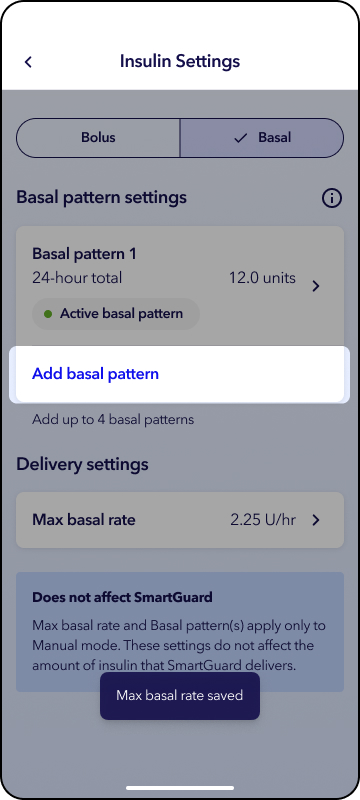
4. Tap Add a basal pattern.
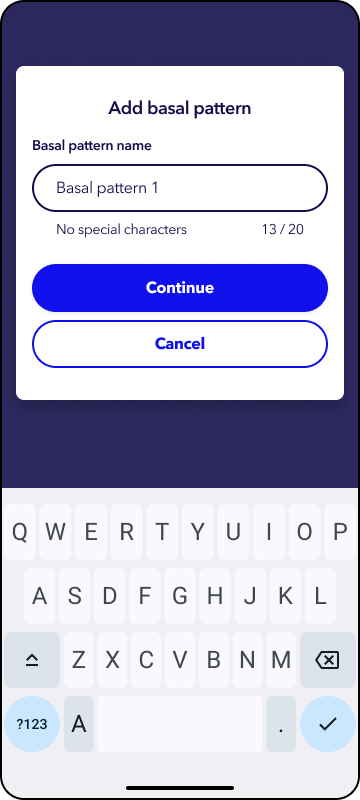
5. Enter a name for the basal pattern and tap Continue.
6. Tap to edit time segment and setting then Continue.
7. Tap Save.
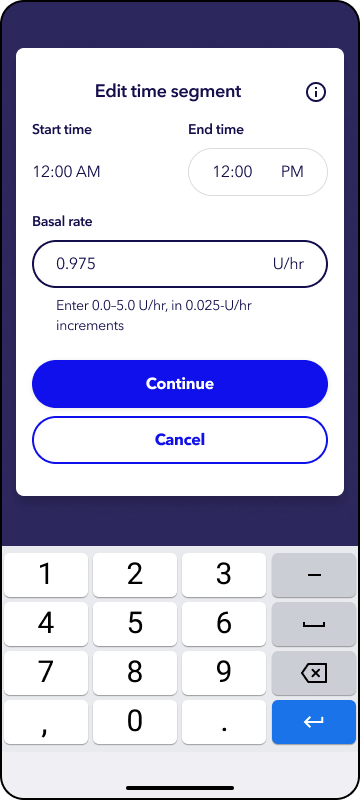
To adjust Max basal rate:
1. From the app home screen, tap Settings.
2. Tap Insulin Settings.
3. Tap Basal.
4. Tap Max basal rate.
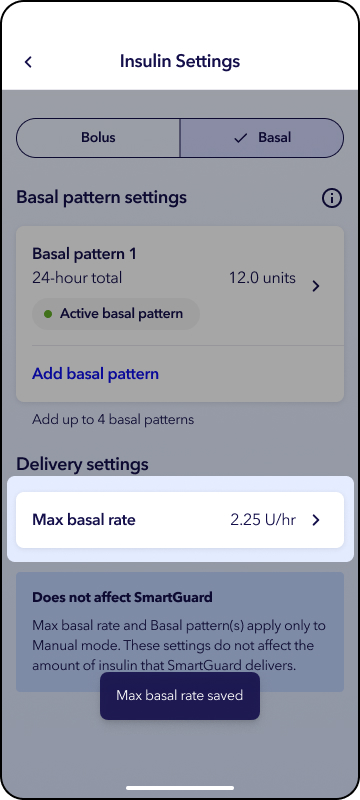
5. Tap the white box and enter in max basal unit value.
6. Tap Save.