.png)


Charging the MiniMed FlexTM pump
Device: MiniMed FlexTM insulin pump
MiniMed Flex pump has a built‑in rechargeable battery and needs to be charged regularly to keep insulin delivery working without interruption. The battery comes already installed in the pump. To help the pump work properly, make sure it stays charged. A full charge takes about 30 minutes using a wall plug and usually lasts about one week.
Note: Your pump will continue to work as it normally does while it is charging
How to charge your pump
- Connect the charging cord to the charging base.
- Connect the wall plug to the charging cord.
- Plug the wall plug into a power outlet.
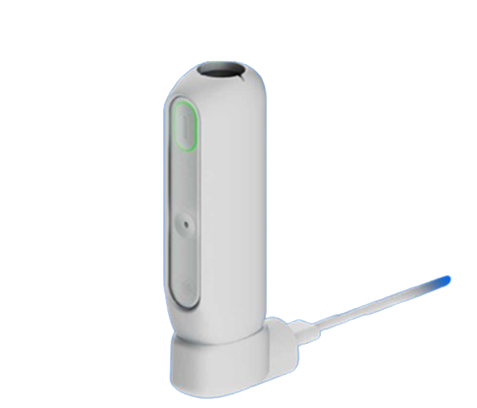
- Place the MiniMed Flex pump into the charging base. You will hear a beep. The pump’s oval status light, arrow, and charging base lights will blink white.
The pump starts charging on its own.
Note: While the pump is charging, the status light flashes green. When the green light stays solid, the pump is fully charged.
How to check your pump’s battery life
- From the Home screen, tap the Pump Status icon.
- The screen shows how much battery is left as days remaining and battery percentage.
The battery icon also changes color as the battery gets lower.
 The icon is green when the battery life is between 24 hours and 8 days, as indicated by the duration written under the icon.
 The icon is yellow when the battery life is between 1 and 10 hours, as indicated by the duration written under the icon.
 The icon is gray with a little red when the battery life is between 60 and 0 minutes, as indicated by the duration written under the icon.
 The icon is gray with a red outline when the battery life is depleted.
 The icon is black with a white question mark when the battery life is unknown.