.png)


Checking bolus history
Device: MiniMed FlexTM insulin pump
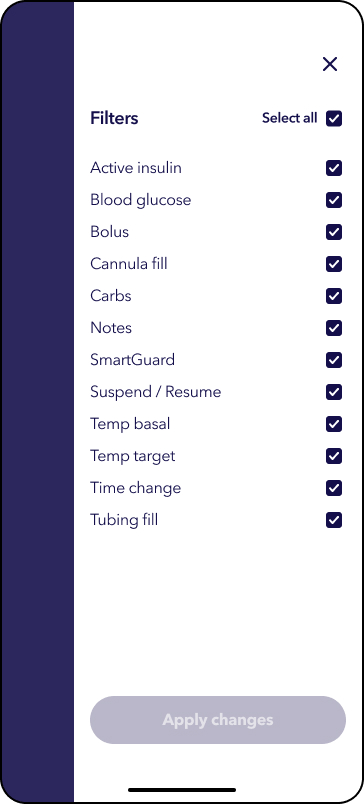
The Daily history screen displays a list of actions you performed on your pump, such as your SG or BG meter readings, bolus deliveries, any temp basal rates or temp targets you used, and so on. The list displays the most recent action first. From this list, you can display further details about any action done.
To check your Bolus history
Note: All screens are shown for example purposes only. Your screen may appear different depending on your individual insulin settings.
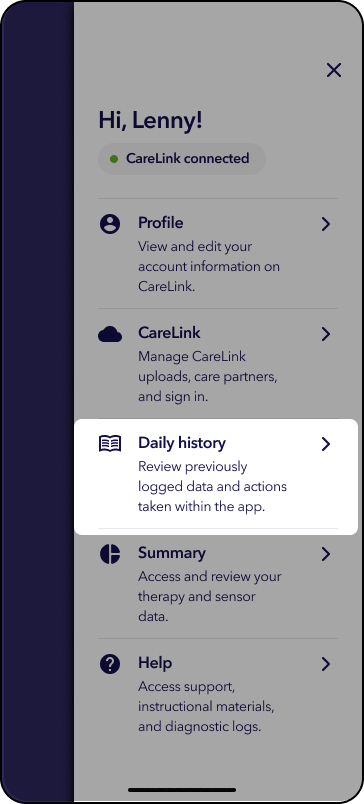
1. Tap the Profile icon in the upper-right corner of the app screen.
2. Tap Daily history.
By default, the app displays the past 3 days of events in chronological order, with the most recent event at the top and the earliest event at the bottom. You can view other dates by selecting a Start Date and End Date.
Helpful hint: This section shows all events, including manual entries. Tap an event to view more details, or tap the filter option to choose which events appear in the list.