.png)


Parts of the MiniMed FlexTM pump
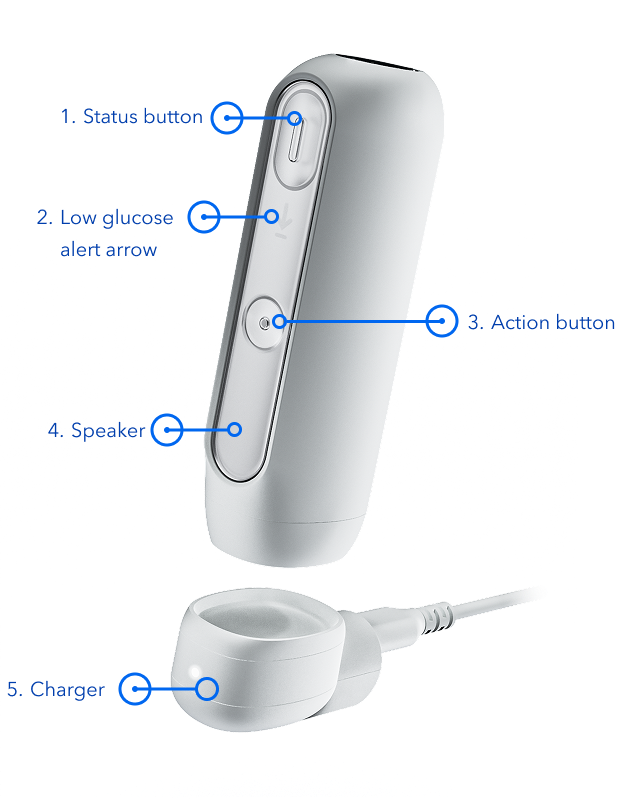
Get to know the MiniMed Flex pump
- Status button — Check the status of your alerts. Press the oval-shaped button to check alert status and color. This button is also used to show the pump charging status.
- Low glucose alert arrow — Lights up when low glucose alert is occurring.
- Action button — Initiates pairing with the MiniMedTM app.
- Speaker — Hear for audio alerts.
- Charger — The pump charger connects to a power source and charges the pump battery.