.png)


Recommended SmartGuardTM settings
Device: MiniMed FlexTM insulin pump
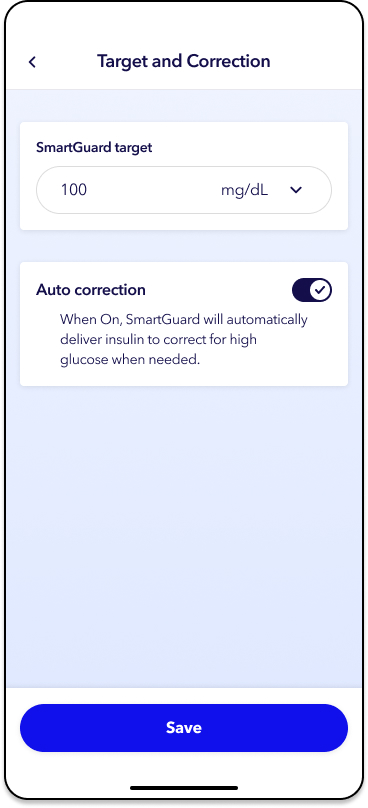
When using SmartGuardTM mode, the MiniMed FlexTM system allows you to choose between a 100, 110, or 120 mg/dL auto basal glucose target. The recommended SmartGuardTM auto basal target is 100 mg/dL for adults and 110 mg/dL for children < 15 years old (this may be lowered to 100 mg/dL if there is no concern with lows).
Additionally, because this system uses Active Insulin Time (AIT) differently, a setting of 2 hours is recommended, if appropriate. As always, make sure to work with your healthcare provider to ensure your settings are safe and meet your needs.
To change the SmartGuardTM target:
1. From the app home screen, tap Settings.
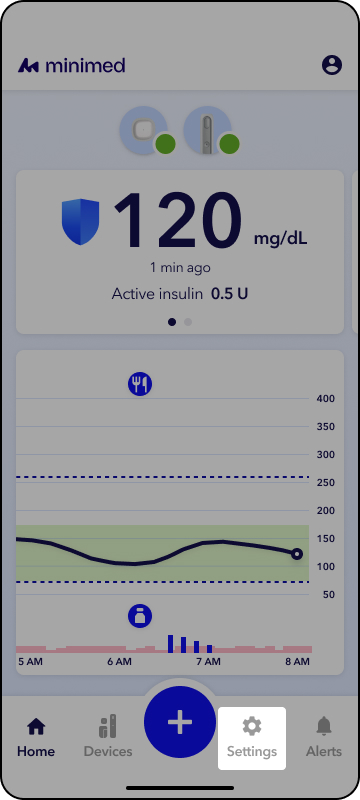
2. Tap SmartGuardTM settings.
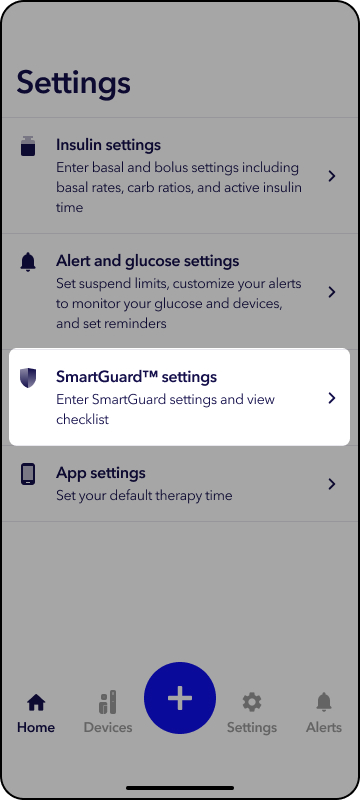
3. Tap Settings.
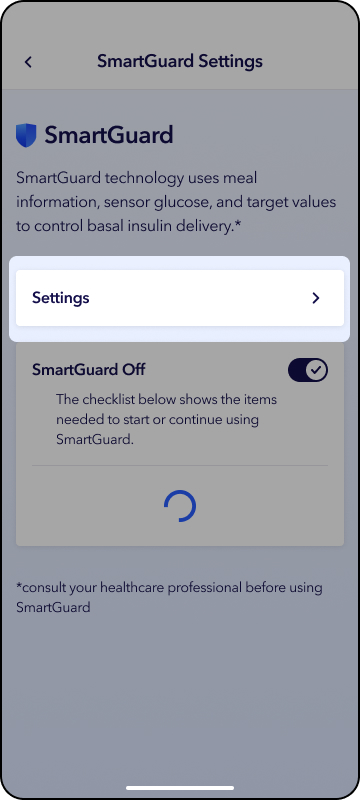
4. Tap the down arrow under SmartGuard target and select target.
5. Tap Save.
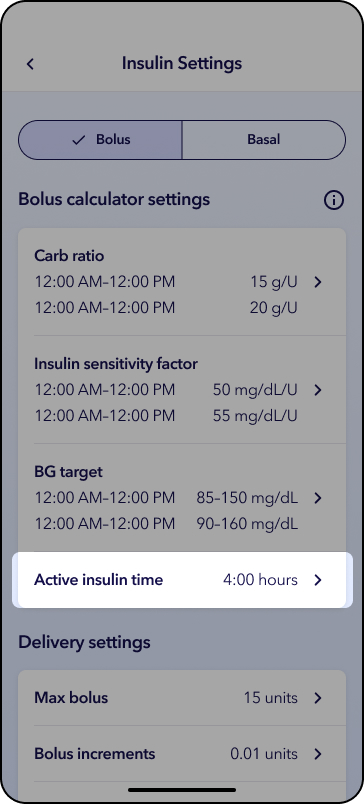
To change active insulin time:
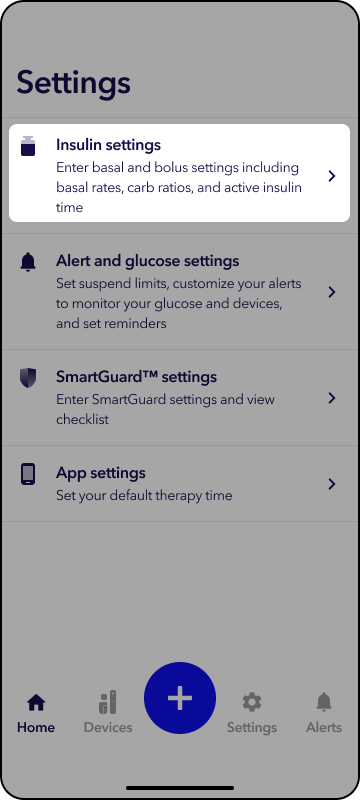
1. From the app home screen, tap Settings.
2. Tap Insulin settings.
3. Tap Active insulin time.
4. Tap the white box to enter the recommended active insulin time.