.png)


Bolus calculator settings
Device: MiniMed FlexTM insulin pump
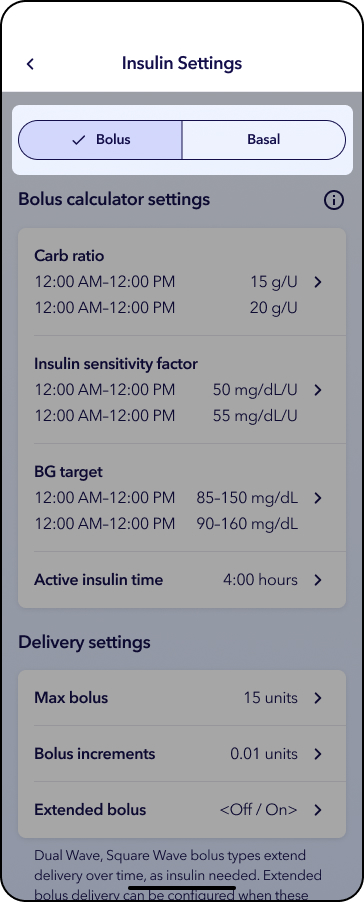
The bolus calculator uses your individual Bolus calculator settings to calculate an estimated amount based on the blood glucose (BG) or sensor glucose (SG) values and carbs that you enter. Work with your healthcare professional to define your personal settings, which include your carb ratio, insulin sensitivity, BG target range, and active insulin time.
Please note that any settings shown on this page are for illustration purposes only. Your individual settings will vary. Always consult your healthcare professional before making any changes to your delivery settings.
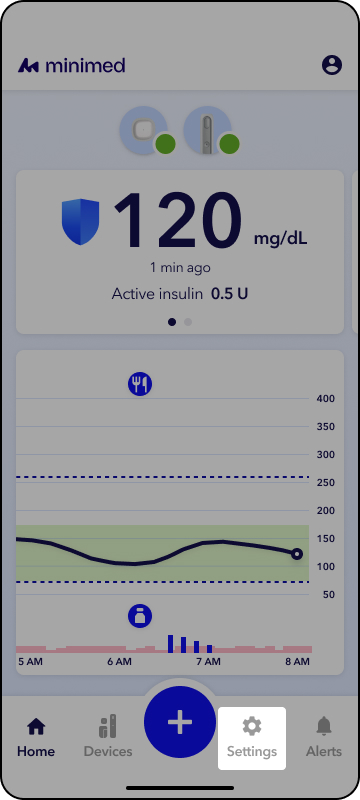
1. From the app home screen, tap Settings.
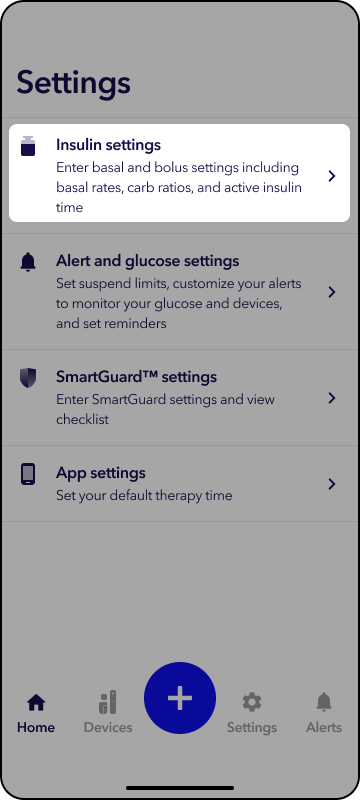
2. Tap Insulin Settings.
3. Tap the setting to adjust.
1. From the app home screen, tap Settings.
2. Tap Insulin Settings.
3. Tap Carb ratio.
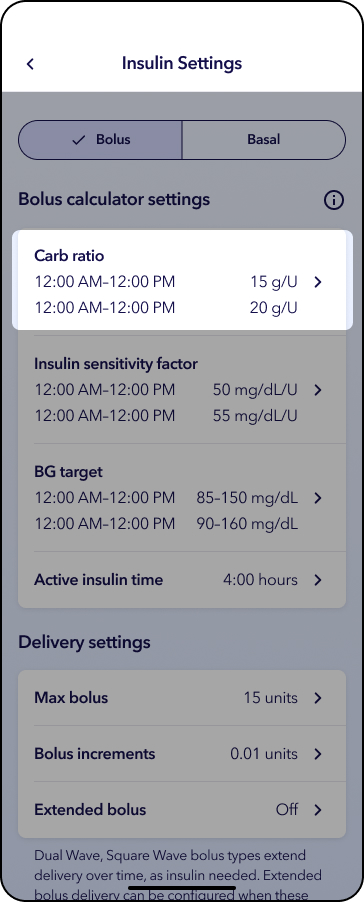
4. Tap to adjust time segment and setting.
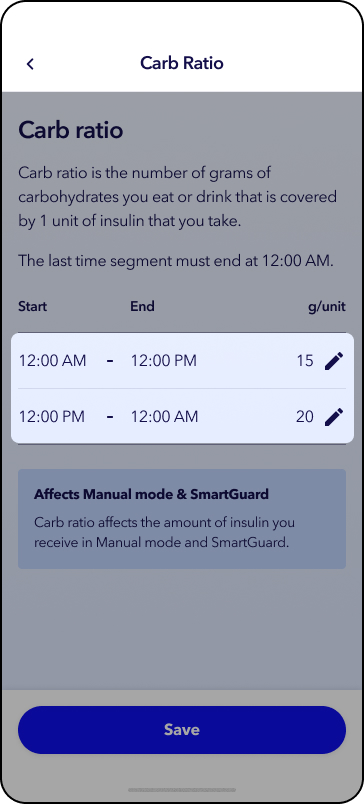
5. Tap Save.
Note: The start time of 12am cannot be changed. When changing the end time of a segment a new row may appear in red. When this happens, tap to edit the number value.
1. From the app home screen, tap Settings.
2. Tap Insulin Settings.
3. Tap Insulin sensitivity factor.
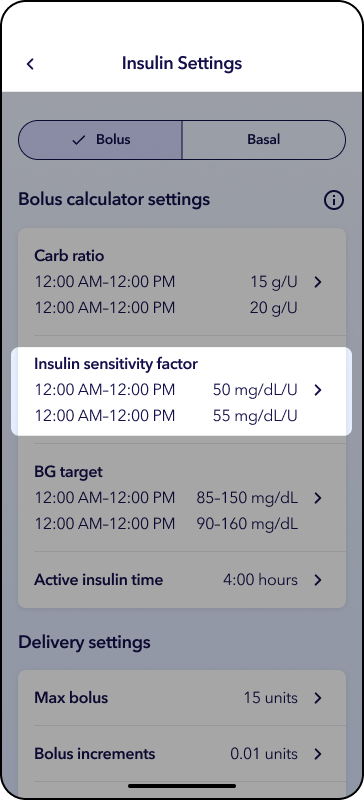
4. Tap  to adjust time segment and setting.
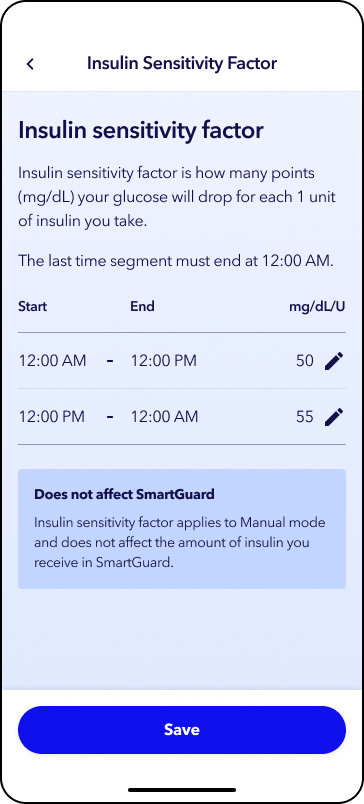
5. Tap Save.
Note: The start time of 12am cannot be changed. When changing the end time of a segment a new row may appear in red. When this happens, tap to edit the number value.
1. From the app home screen, tap Settings.
2. Tap Insulin Settings.
3. Tap BG target.
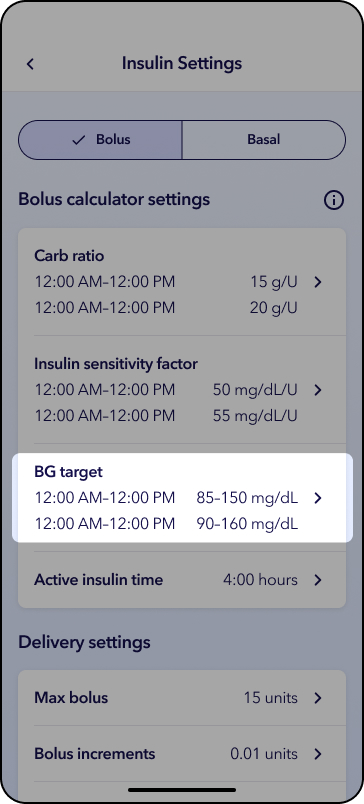
4. Tap to adjust time segment and setting.
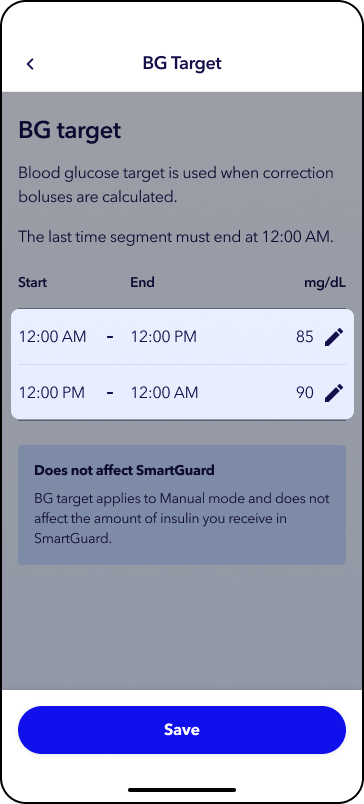
5. Tap Save.
Note: The start time of 12am cannot be changed. When changing the end time of a segment a new row may appear in red. When this happens, tap to edit the number value.
1. From the app home screen, tap Settings.
2. Tap Insulin Settings.
3. Tap Active insulin time.
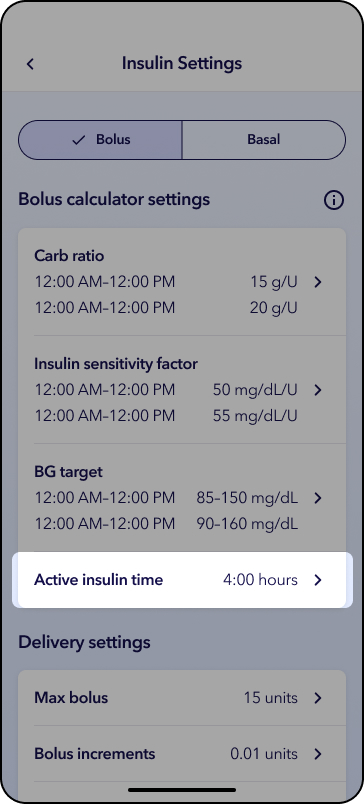
4. Tap the white box and scroll to the recommended duration.
5. Tap the white box to accept.
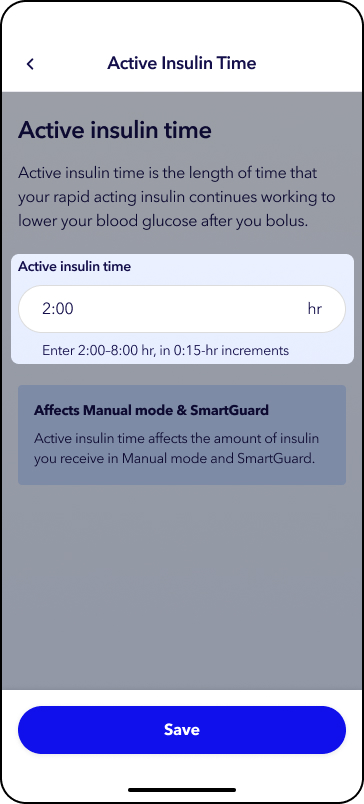
5. Tap Save.