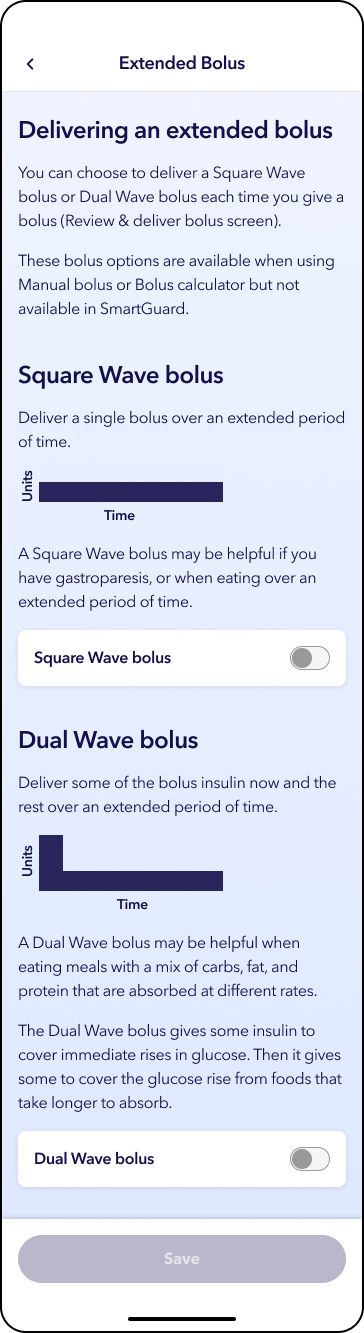
.png)


Bolus delivery settings
Device: MiniMed FlexTM insulin pump
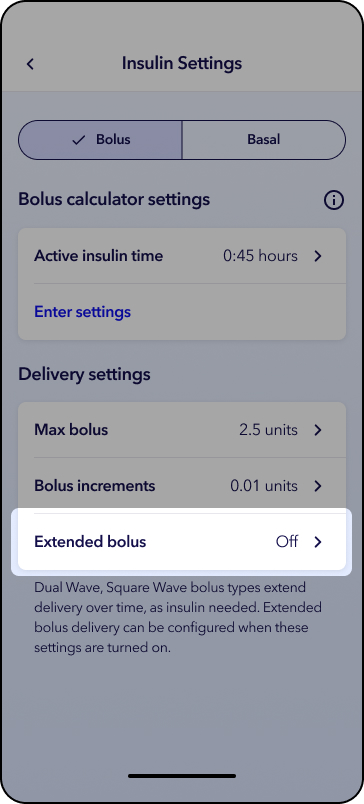
Your delivery settings control how a bolus is delivered and the maximum amount that can be delivered at one time. When you first start using the system, these settings are configured to default values. If adjustments are needed, your healthcare provider can prescribe updated settings that can then be applied in the app.
Please note that any settings shown on this page are for illustration purposes only. Your individual settings will vary. Always consult your healthcare professional before making any changes to your delivery settings.
Note: Bolus speed adjustments no longer exist. Refer to the system user guide for more details.
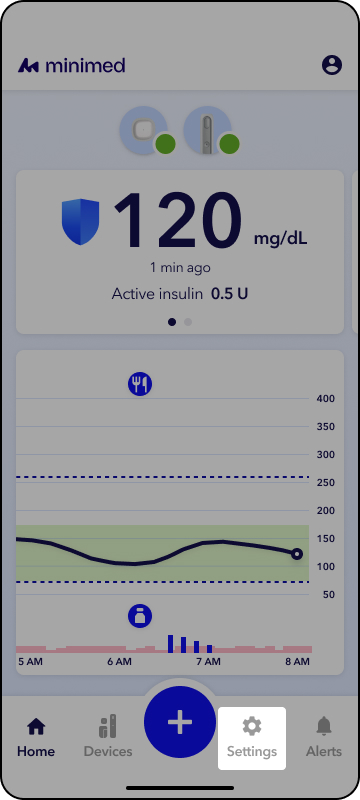
1. From the app home screen, tap Settings.
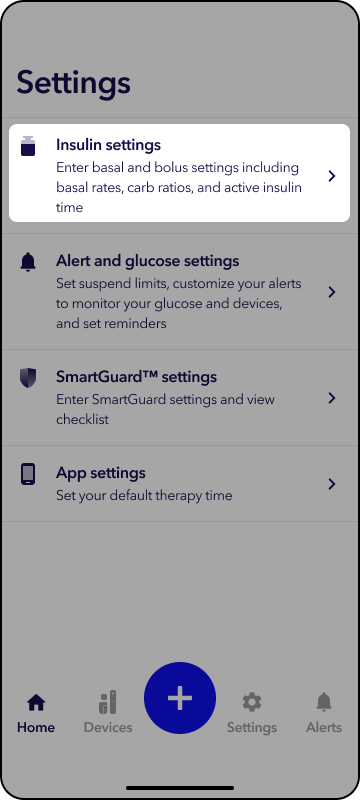
2. Tap Insulin Settings.
3. Tap the setting to adjust.
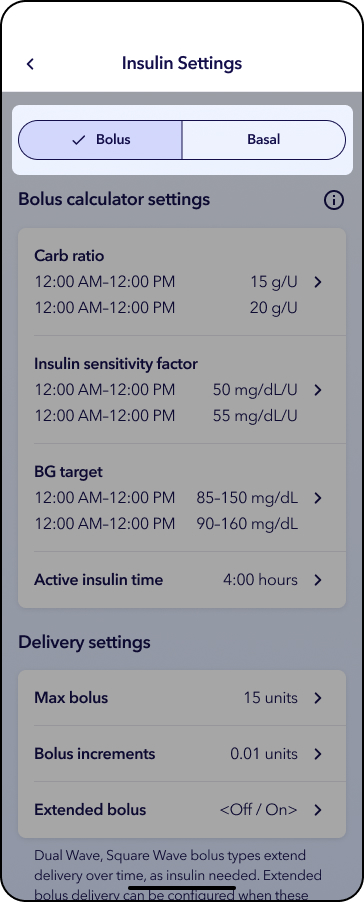
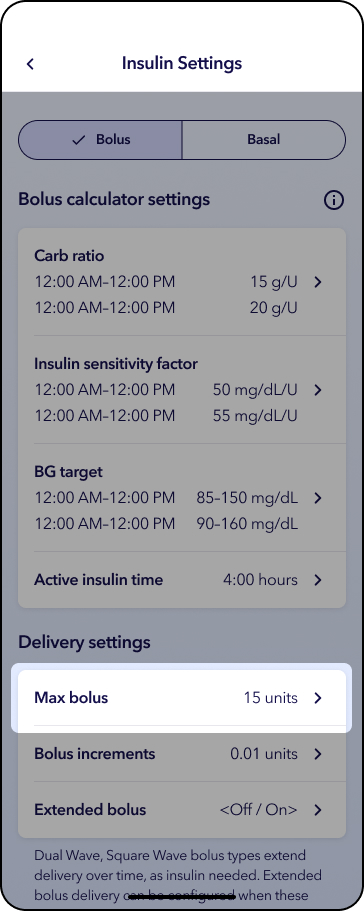
2. Tap Max bolus and scroll to appropriate unit amount.
3. Tap white box to accept and tap Continue.
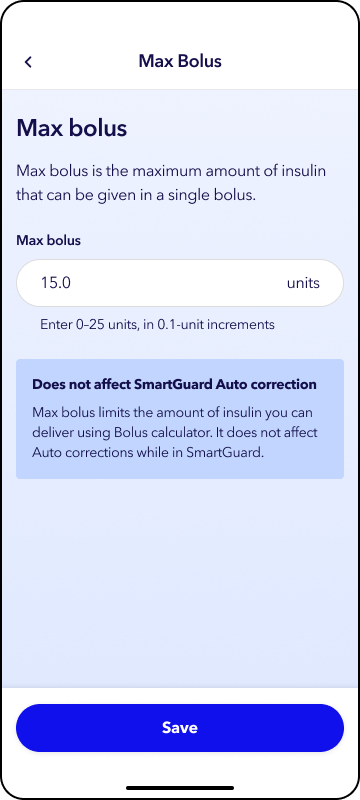
4. Tap Save.
1. Tap Bolus increments.
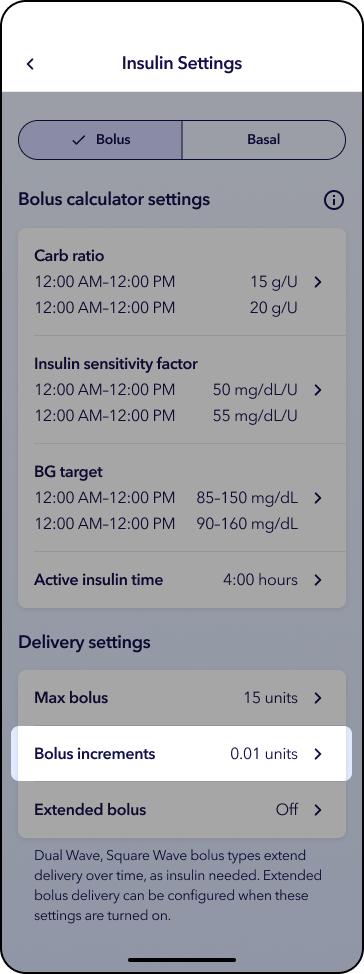
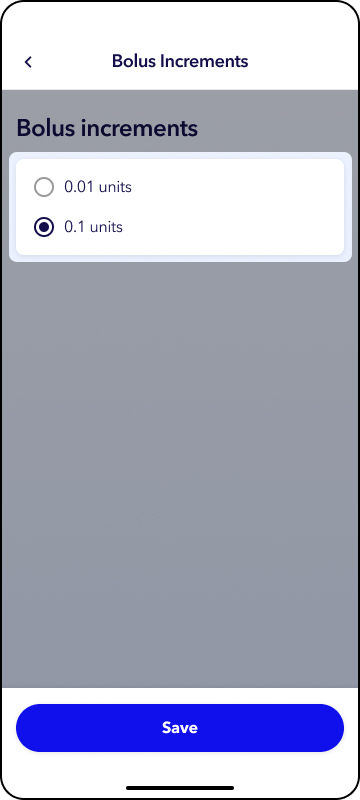
2. Tap the appropriate unit amount.
3. Tap Save.
1. Tap Extended bolus.
2. Tap the appropriate bolus type.
3. Tap Save.