.png)


Delivering a Square WaveTM bolus and Dual WaveTM bolus
Device: MiniMed FlexTM insulin pump
Note: The Dual WaveTM bolus and Square WaveTM bolus features are only available in Manual mode.
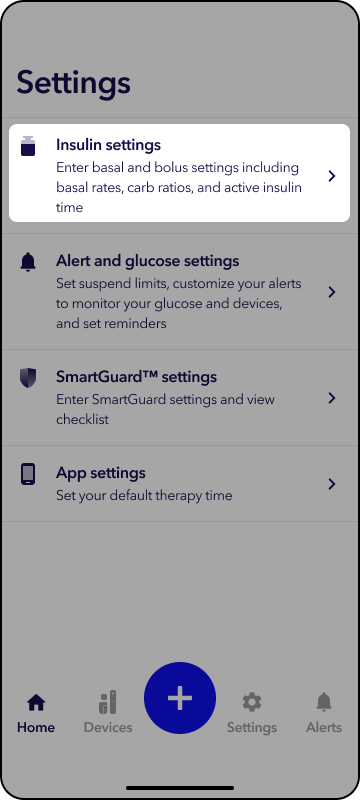
3. Tap the Extended bolus.
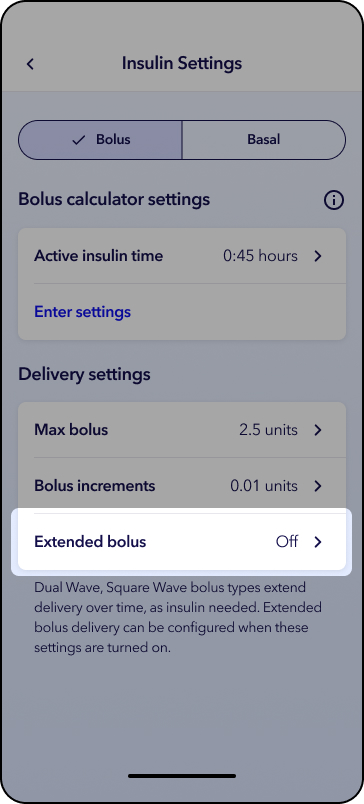
4. Tap the toggle for Dual Wave Bolus, Square Wave Bolus, or both.
5. Tap Save.
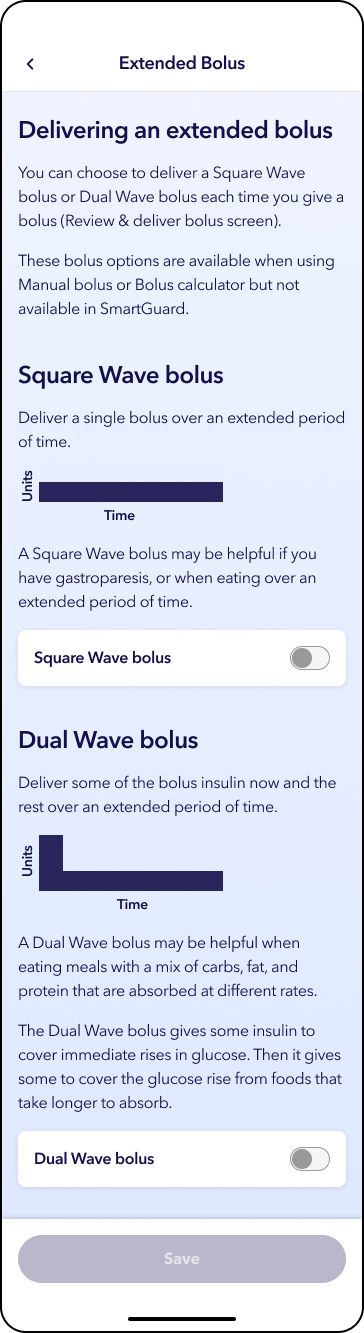
Deliver a Dual WaveTM bolus with the Bolus calculator
Note: All screens are shown for example purposes only. Your screen may appear different depending on your individual insulin settings.
1. From the home screen, tap  .
.
2. Tap Bolus calculator.
3. Tap  to enter your blood glucose.
4. Tap Next.
5. Enter your carb amount if eating or tap Skip carbs if doing a correction bolus.
6. Tap Next.
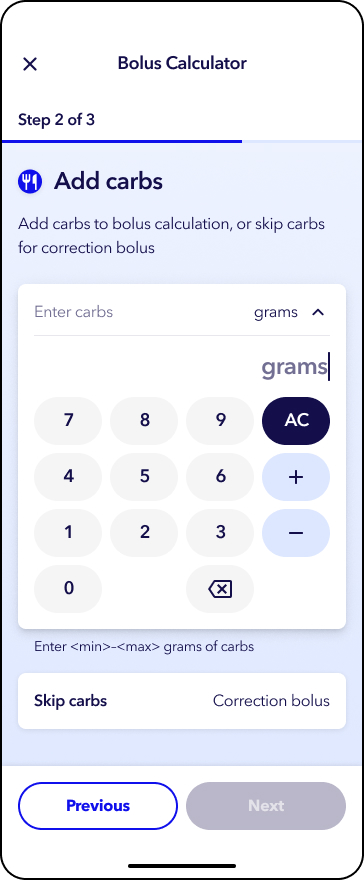
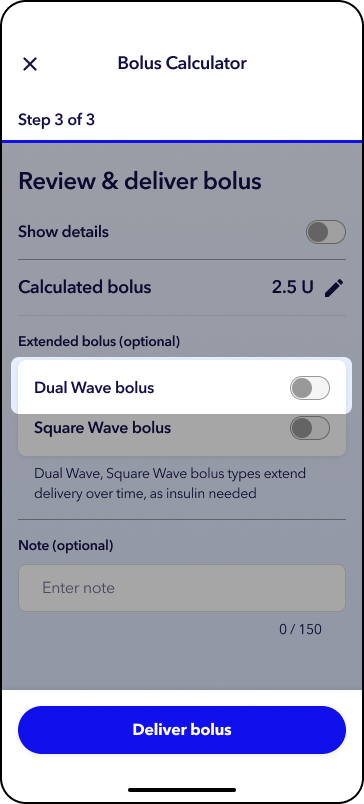
7. Tap the toggle next to Dual Wave bolus.
12. Tap Enter duration and select a value.
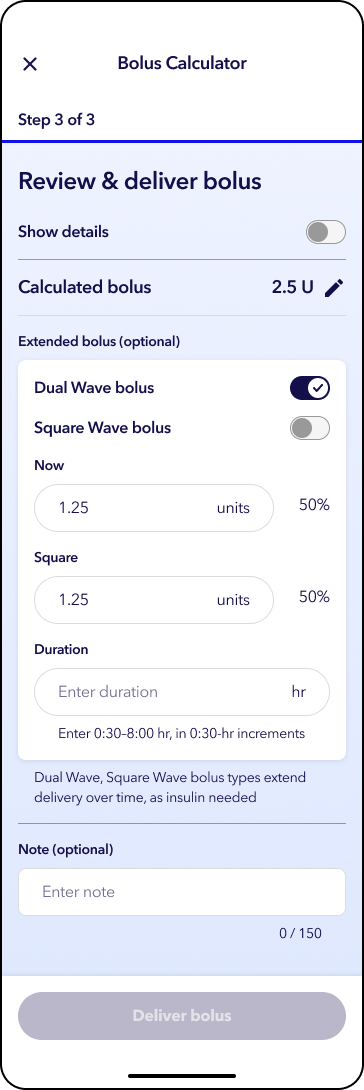
13. Review your bolus details and tap Deliver bolus.
Note: To view details of your calculated bolus, tap the toggle next to Show Details. An optional note box appears on this screen, which you may use to enter information to log with the bolus. A notes icon will appear on the trend graph on the Home screen.
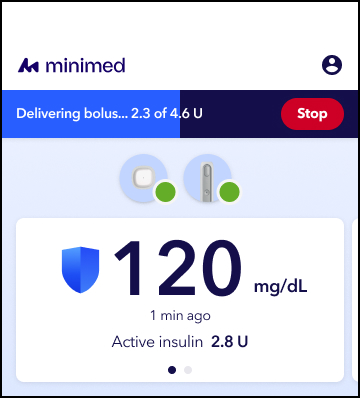
You will see the status of your bolus delivery on the top of the home screen.
Deliver a Square WaveTM bolus with the Bolus calculator
Note: All screens are shown for example purposes only. Your screen may appear different depending on your individual insulin settings.
1. From the home screen, tap .
2. Tap Bolus calculator.
3. Tap to enter your blood glucose.
4. Tap Next.
5. Enter your carb amount if eating or tap Skip carbs if doing a correction bolus.
6. Tap Next.
7. Tap the toggle next to Square Wave bolus.
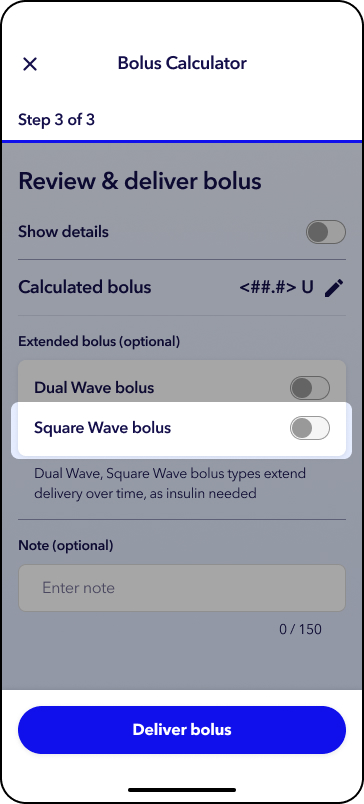
8. Tap Enter duration and select a value.
9. Tap the white box to accept.
Note: An optional note can be entered to record additional information about the bolus.
10. Review your bolus details and tap Deliver bolus.
Note: To view details of your calculated bolus, tap the toggle next to Show Details. An optional note box appears on this screen, which you may use to enter information to log with the bolus.
A notes icon will appear on the trend graph on the Home screen. You will see the status of your bolus delivery on the top of the home screen.