How to set or cancel a Temp Basal rate

To set a Temp basal rate in manual mode:

Note: All screens are shown for example purposes only. Your screen may appear different depending on your individual insulin settings.

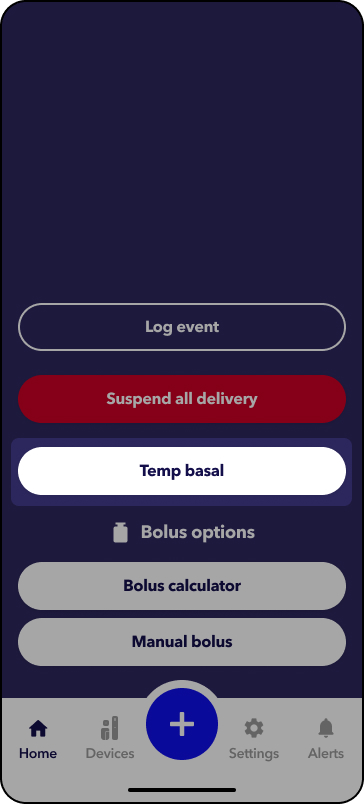
1. From the home screen, tap  .
2. Tap Temp basal.

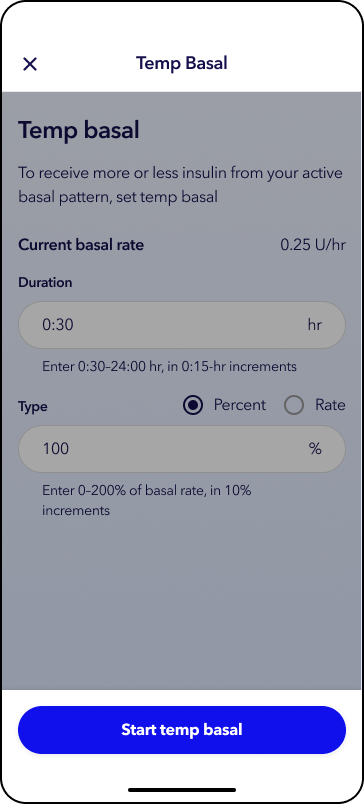
3. Tap Duration and select the desired hours and minutes for the Temp Basal.
4.  Select Type: Percentage or Rate.
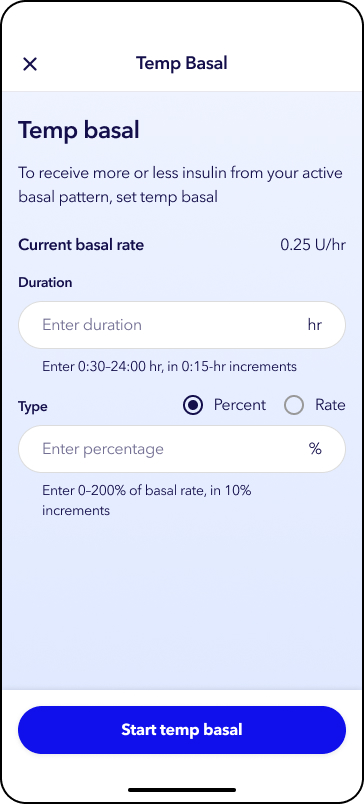
5.  Select Type: Percentage or Rate.

6. Tap Start temp basal.

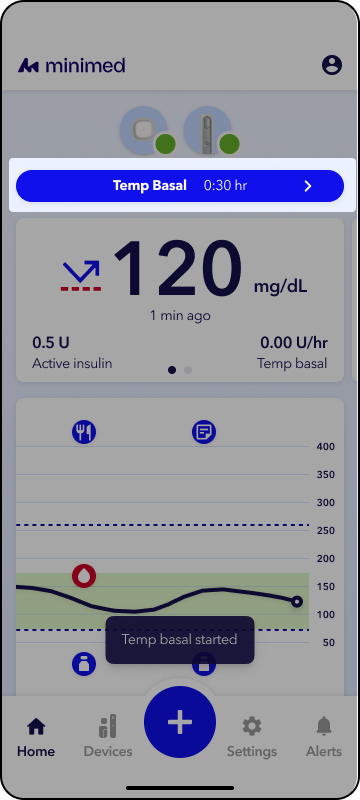
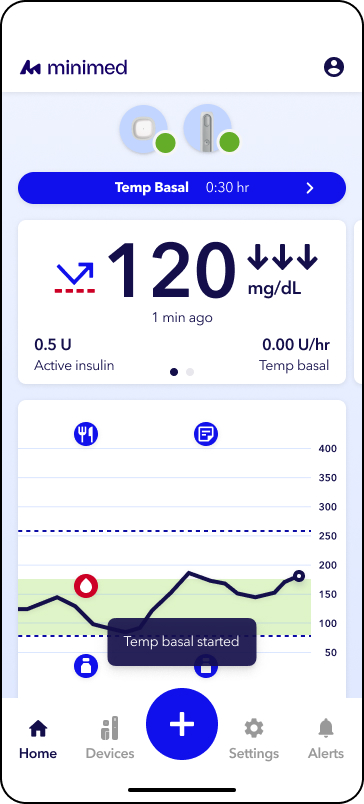
You will see a status banner on the Home screen showing a countdown timer.
To cancel a Temp basal rate in manual mode:

Note: All screens are shown for example purposes only. Your screen may appear different depending on your individual insulin settings.

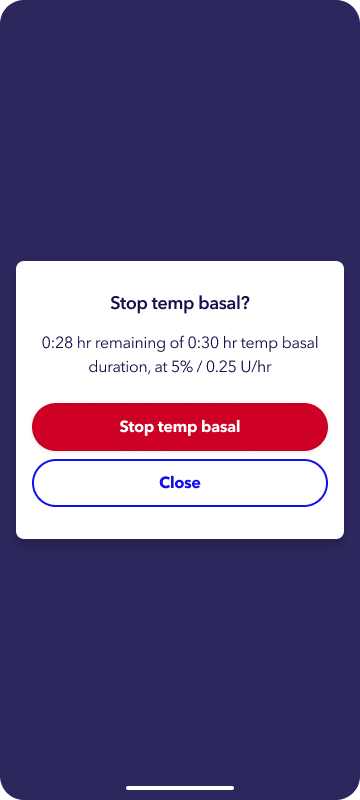
1. Tap the Temp basal status banner on the home screen.

2. Tap Stop temp basal.