.png)


Temp basal rates
Device: MiniMed FlexTM insulin pump
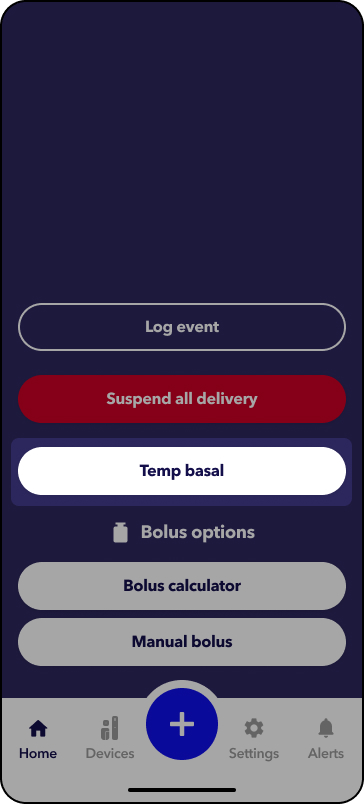
The Temporary (Temp) Basal rate feature lets you immediately increase or decrease your basal insulin for the period of time (duration) that you set. It is often used for exercise and sick days. A Temp Basal can be set in either Percent (delivers a perecent of the current basal rate) or by Rate (delivers the amount that you enter).
Please note that any settings shown on this page are for illustration purposes only. Your individual settings will vary. Always consult your healthcare professional before making any changes to your delivery settings.
 .
.
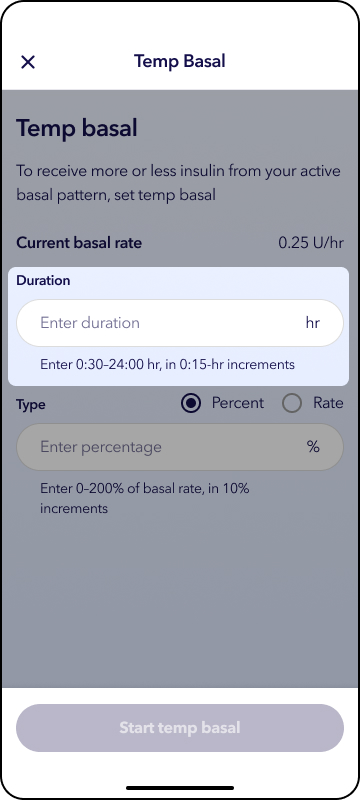
3. Tap the white box under Duration. Scroll to the desired amount and accept.
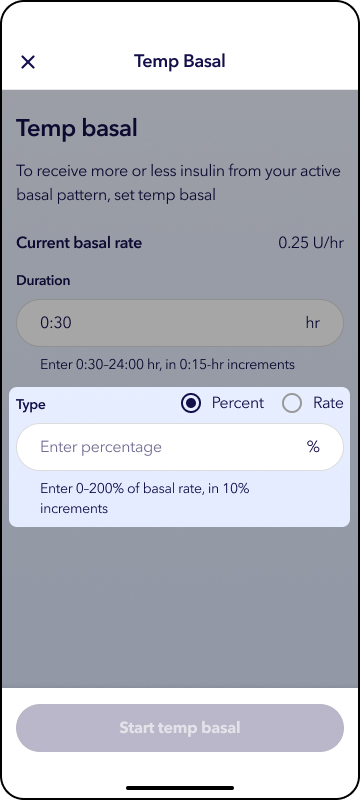
4. Select Percent or Rate. Tap Type box. Scroll to the desired amount and tap outside the box to accept.
5. Tap Start temp basal.
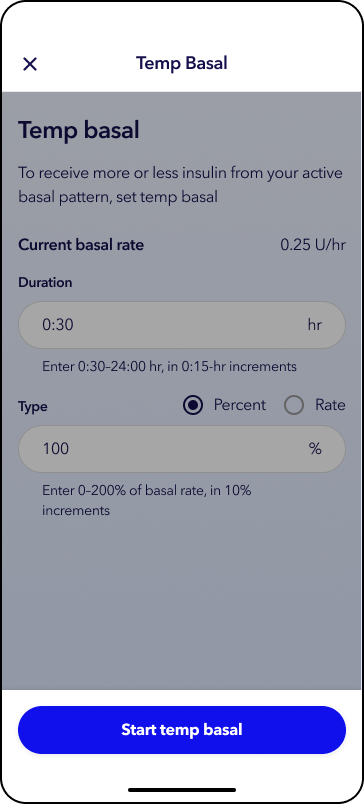
A status banner will appear on the home screen with a countdown clock.
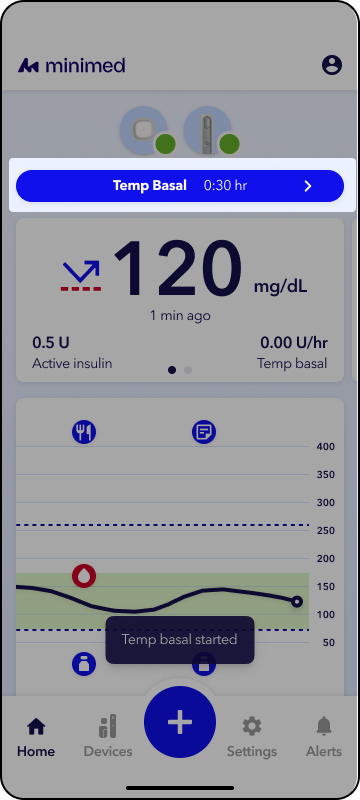
1. From the app home screen, tap the Temp basal status bar.
2. Tap Stop temp basal.
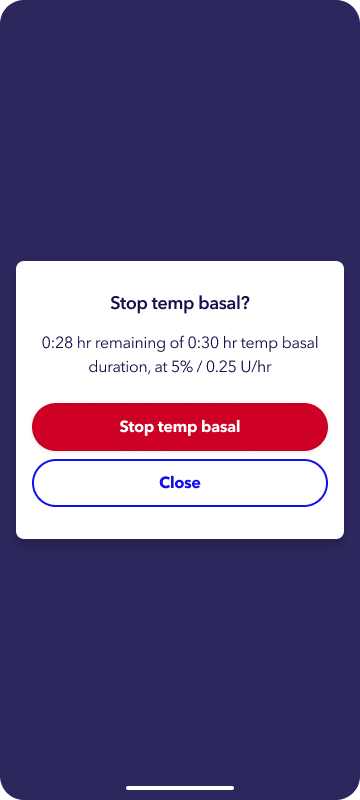
Your insulin delivery will resume at your current set basal rate.