.png)


Bolus calculator
Device: MiniMed FlexTM insulin pump
The bolus calculator is a feature that uses glucose information, carbohydrate entry, and programmed insulin settings to calculate a recommended insulin dose.
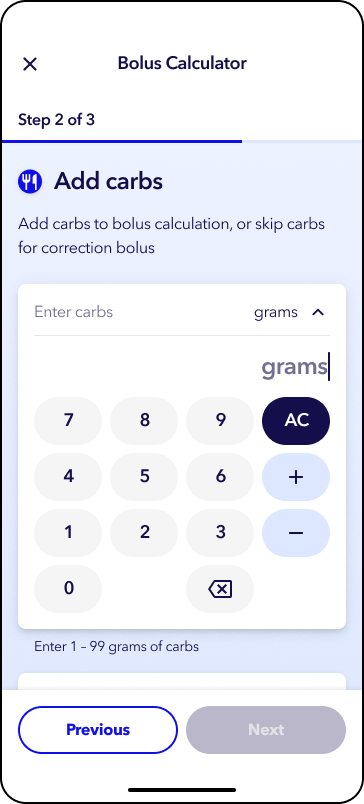
7. Tap Deliver bolus.
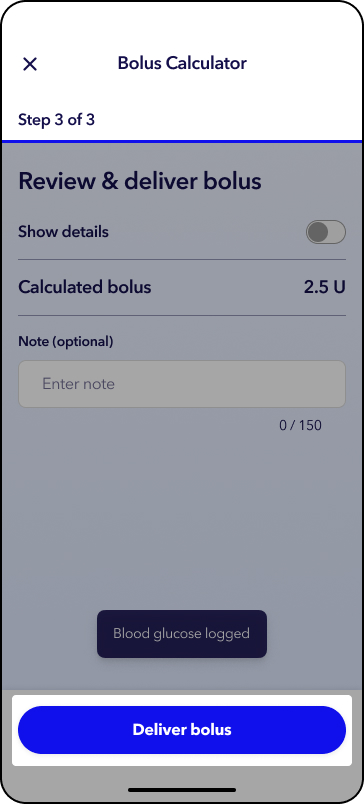
Note: To view details of your calculated bolus, tap the toggle next to Show details. An optional note box appears on this screen to log with the bolus. A notes icon will appear on the trend graph on the Home screen.
You will see the status of your bolus delivery on the home screen.
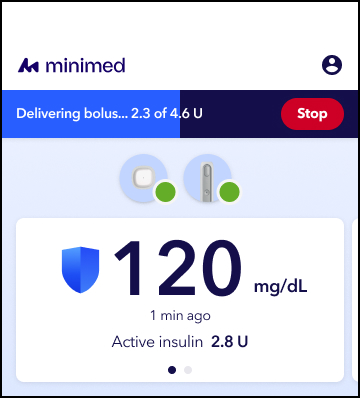
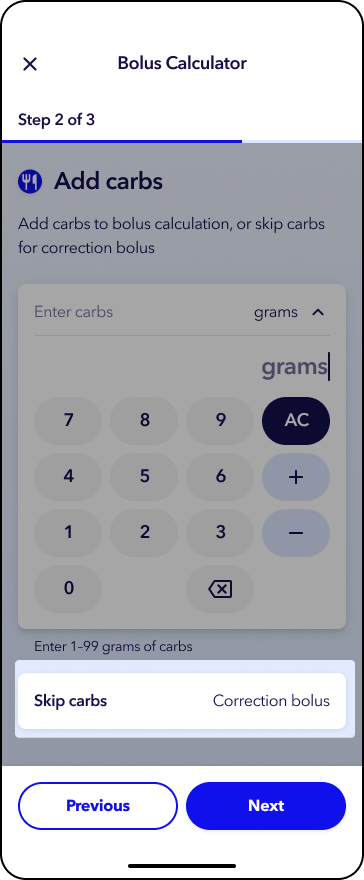
7. Tap Deliver bolus.
You will see the status of your bolus delivery on the home screen.
How to deliver a meal bolus in SmartGuardTM mode
1. From the home screen, tap  .
.
2. Tap Bolus calculator.
3. Use sensor glucose will automatically populate.
Tap Next.
Note: If sensor glucose does not automatically populate, or if you choose not to use the sensor glucose value, you may enter your blood glucose by tapping  or tap Skip glucose to continue without entering a glucose value.
4. Enter your carb amount.
5. Tap Next.
6. Tap Deliver bolus.
You will see the status of your bolus delivery on the home screen.
Forgot to bolus while in SmartGuardTM? If you remember within 30 minutes of the meal or snack, deliver a bolus for 50 percent (or half) of the carbohydrates that you ate. If it has been over 30 minutes, deliver a correction bolus, if recommended by the system.1
This may vary depending on the insulin you use. Consult with your healthcare team about the best recommendation for you.
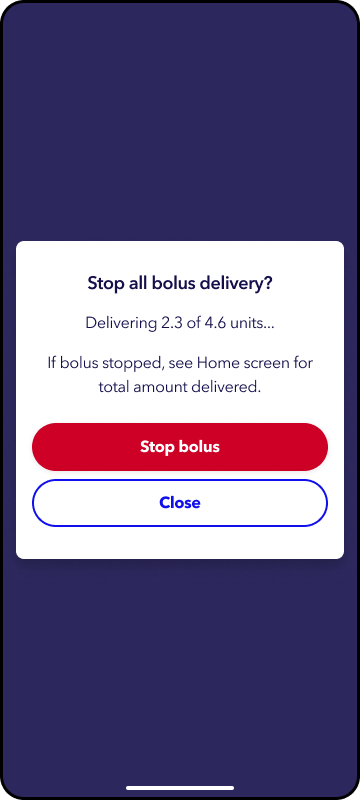
1. From the top of the home screen, tap the red stop button.
2. Tap Stop bolus.
Reference
1. Phillip M et al. Endocr Rev. 2023 Apr; 44(2): 270.